
 Lançamento Poderoso do Proxy Residencial!70M+ IPs de origem compatíveis, potencialize seus projetos de web scraping com $0.8/GBComprar agora



 Dados para IA













 Voltar
MACOS proxy cache settings
1. Summary
The cache proxy function can reduce unnecessary traffic consumption of the target website, get results faster and reduce data consumption.
2. Operation steps
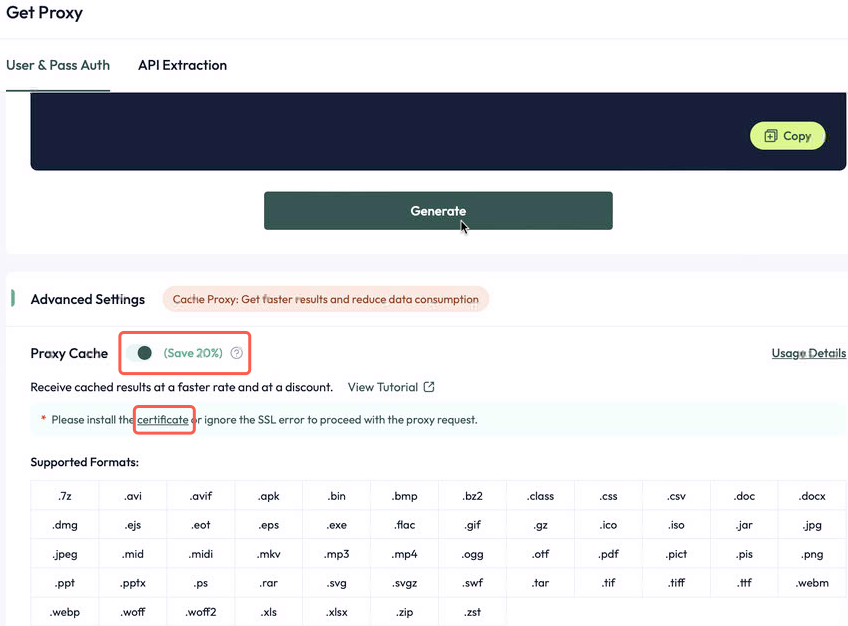
2.1. Visit the official website (https://aproxy.com/aproxy.crt/) to download the proxy certificate.
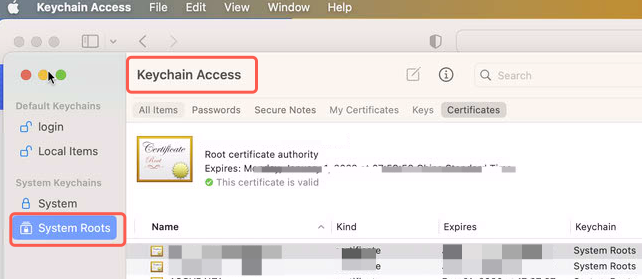
2.2.Open Keychain Access, select Keychain: System in the upper left corner, and select Certificates in the category.
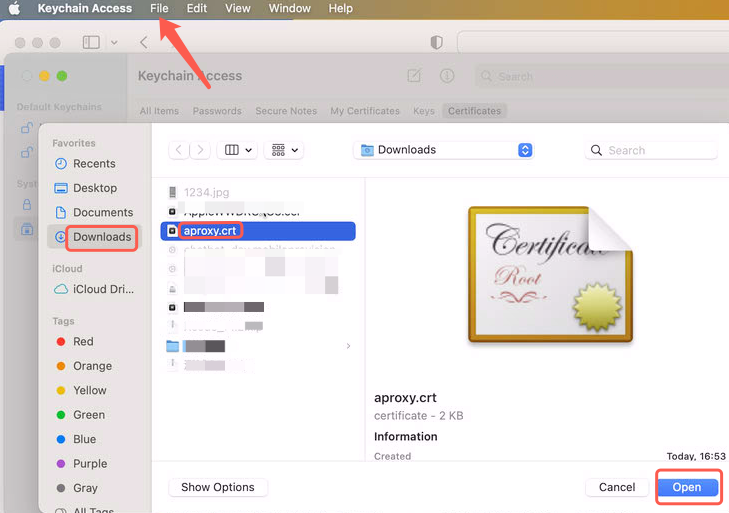
2.3.Drag the locally stored certificate into the keychain or click File in the upper left corner > Import Project > Select Certificate File > Open.
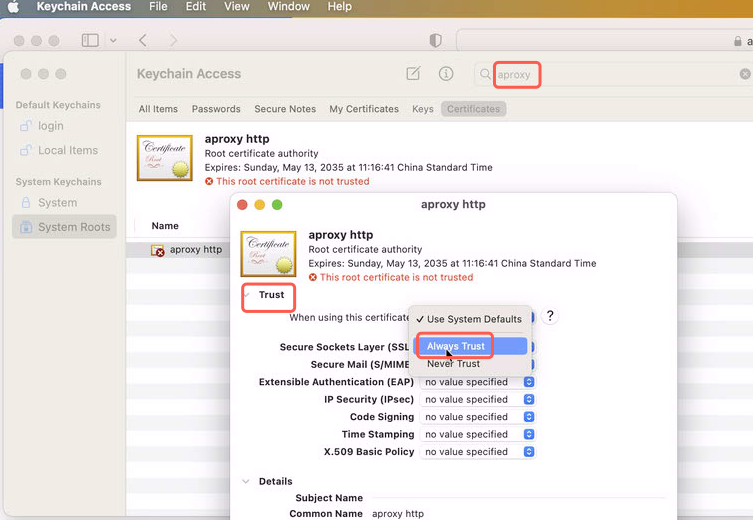
2.4.Find the imported certificate, double-click it, open a new window and select Trust Certificate. In the When using this certificate drop-down menu, select Always Trust. Close the window and you will be prompted to enter the administrator password to confirm the change.
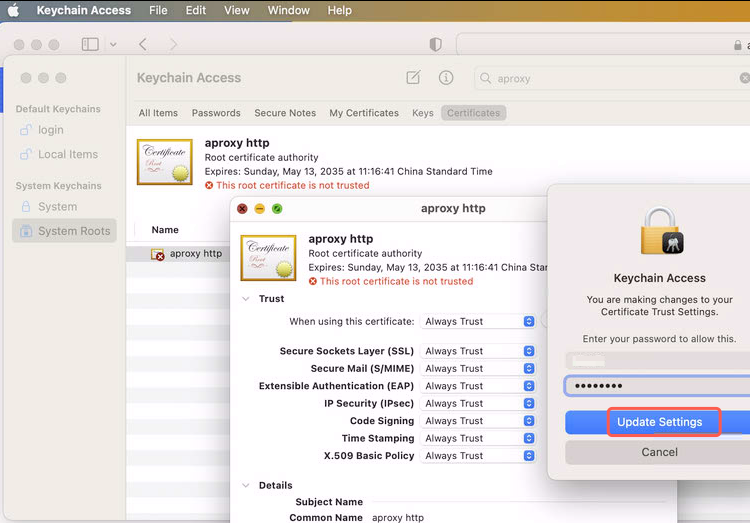
2.5.Open Safari or Chrome and visit a website that uses the certificate (such as a self-signed certificate for a local HTTPS service). The message "Connection is not secure" or "Certificate is invalid" will no longer appear, indicating that the certificate is effective.

 Updated 1 year ago
 Setting up proxy cache in Linux
 Produto certificado ISO/IEC 27001:2017


