
 Lançamento Poderoso do Proxy Residencial!70M+ IPs de origem compatíveis, potencialize seus projetos de web scraping com $0.8/GBComprar agora



 Dados para IA













 Voltar
Steps to Obtain Static Residential Proxy Account and Password
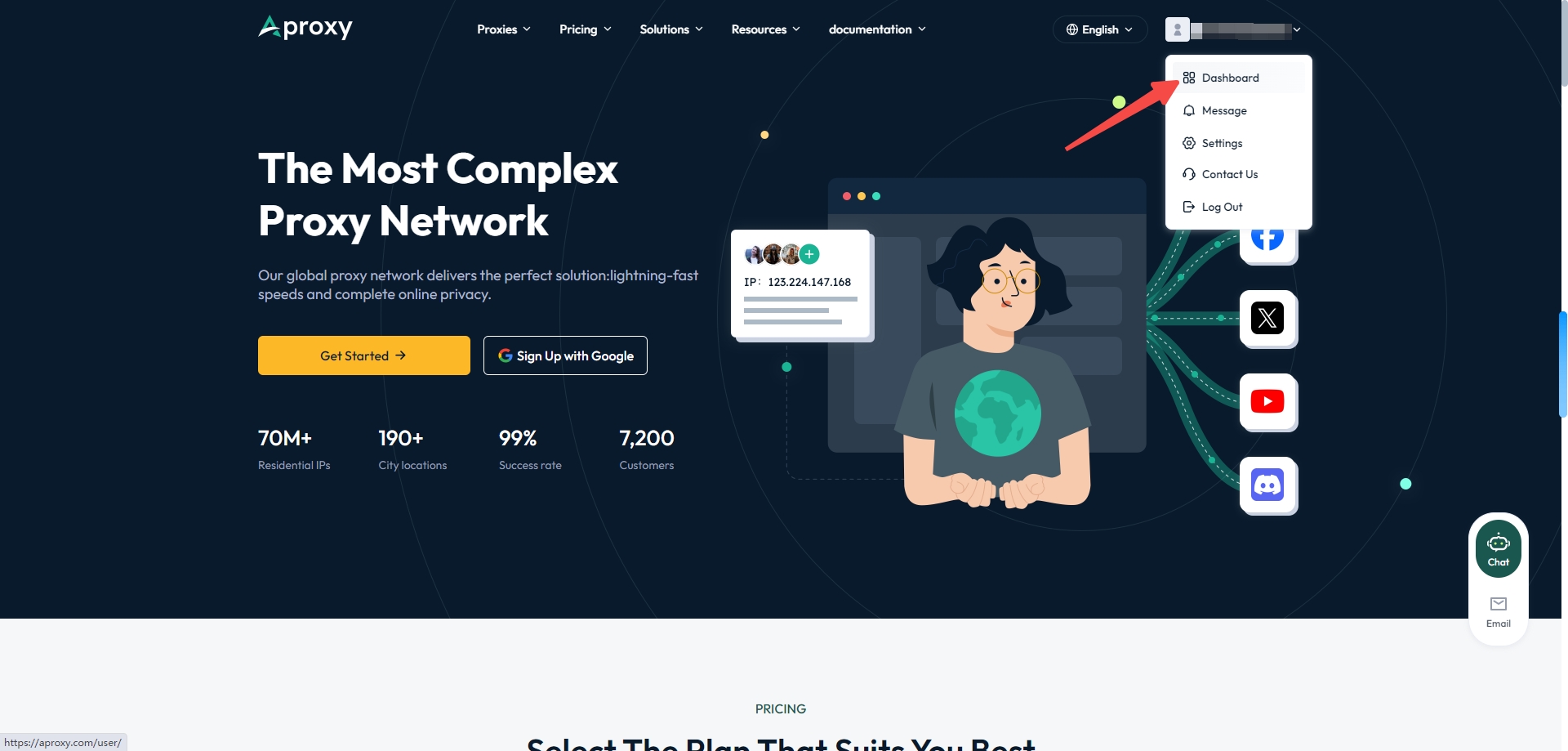
1. First, after successfully purchasing Static Residential Proxy, go to the official website. [Static Residential Proxy Purchase Tutorial] Then click on the username in the top right corner to enter the "Dashboard" page.
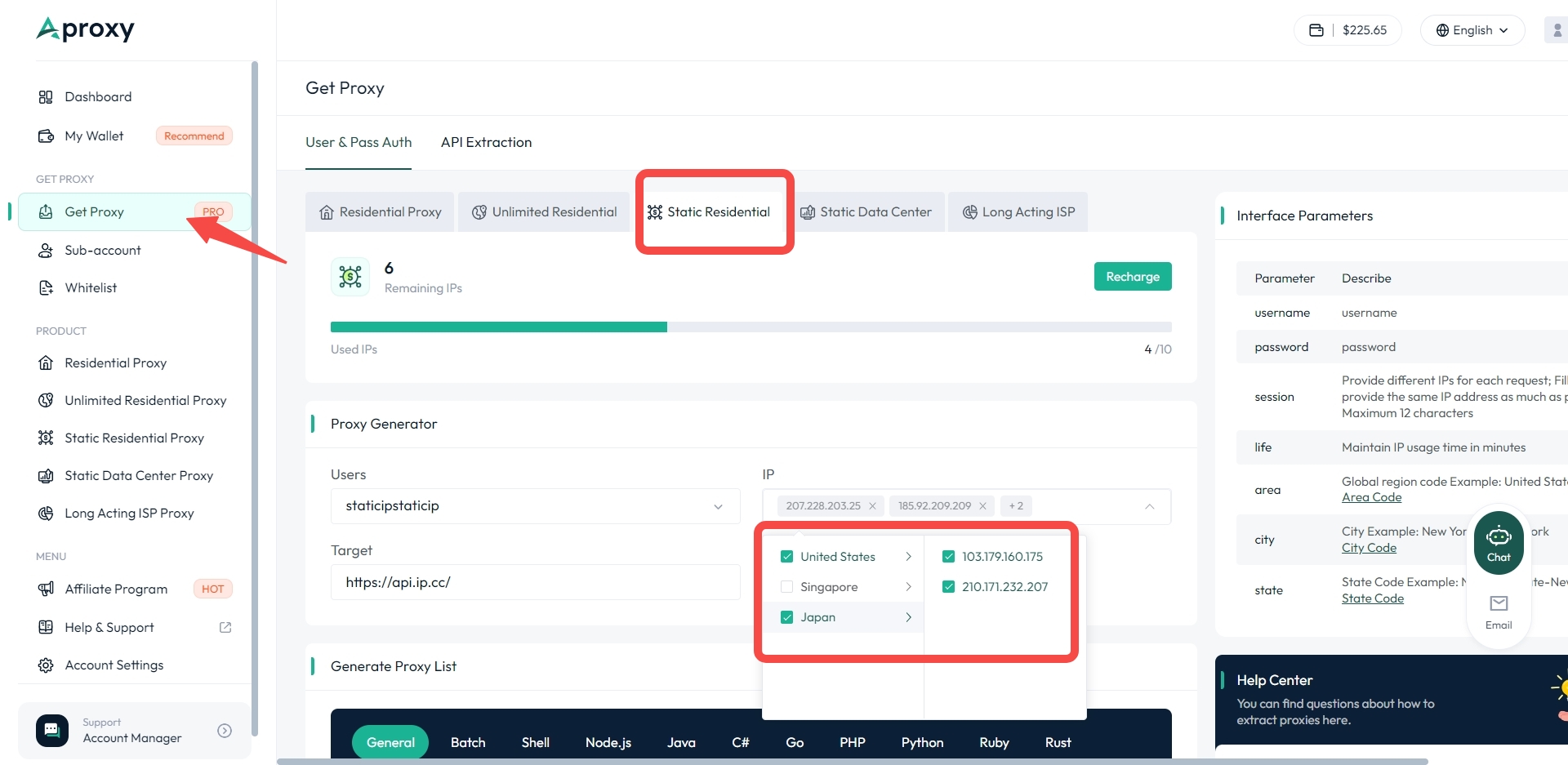
2. Click on "User & Pass Auth" on the right to enter the extraction page. Select "Static Residential" as the package type., then choose the code language to generate. We offer a general mode and batch generation, along with nine other code languages. Here, we use the general mode as an example. Then select the sub-account and the purchased static IP.
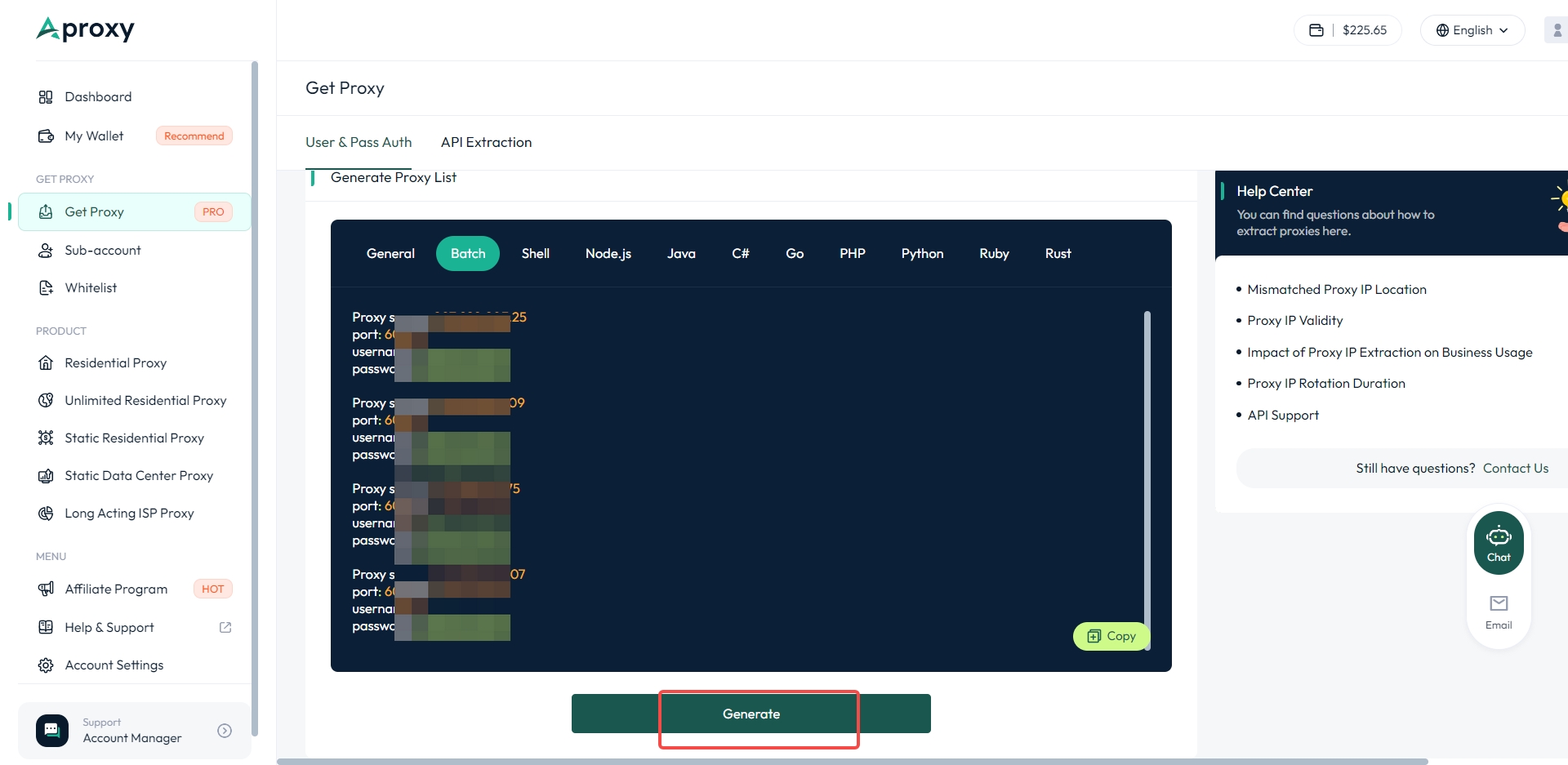
3. Select the static IP address you want to use, scroll down, and click "Generate" to successfully extract it. Finally, click "Copy".
 Updated 1 year ago
 Static Residential Proxy
 Produto certificado ISO/IEC 27001:2017
Comece sua jornada eficiente de proxy e raspagem.
CASOS DE USO
Proxies de rastreamentoMarketing em mídias sociaisSEOVerificação de anúnciosViagemMais casos de usoCONTATE-NOS
support@aproxy.compolítica de PrivacidadeTermos de ServiçoPolítica de Reembolso
Copyright © 2023 Aproxy. Todos os direitos reservados.


Este site utiliza cookies para melhorar a experiência do usuário. Para saber mais sobre a nossa política de cookies ou retirar-se dela, consulte o nosso política de Privacidade e Política de Cookies.

chat

Email
Contate-nos por e-mail
support@aproxy.com
Pontas:
Forneça o número da sua conta ou e-mail.
Forneça capturas de tela ou vídeos e simplesmente descreva o problema.
Responderemos à sua pergunta dentro de 24h.
Enviar e-mail
