
 Peluncuran Kuat Proksi Residensial!70M+ IP sumber yang patuh, tingkatkan proyek web scraping Anda dengan $0.8/GBBeli Sekarang



 Data untuk AI













 Kembali
Firefox Proxy Configuration Guide
Before configuring the proxy, please purchase a proxy [Residential Proxy Purchase Tutorial], and extract the IP address [IP Address Extraction Tutorial].
Here, we use an example of setting up and using residential proxy account and password extracted IP.
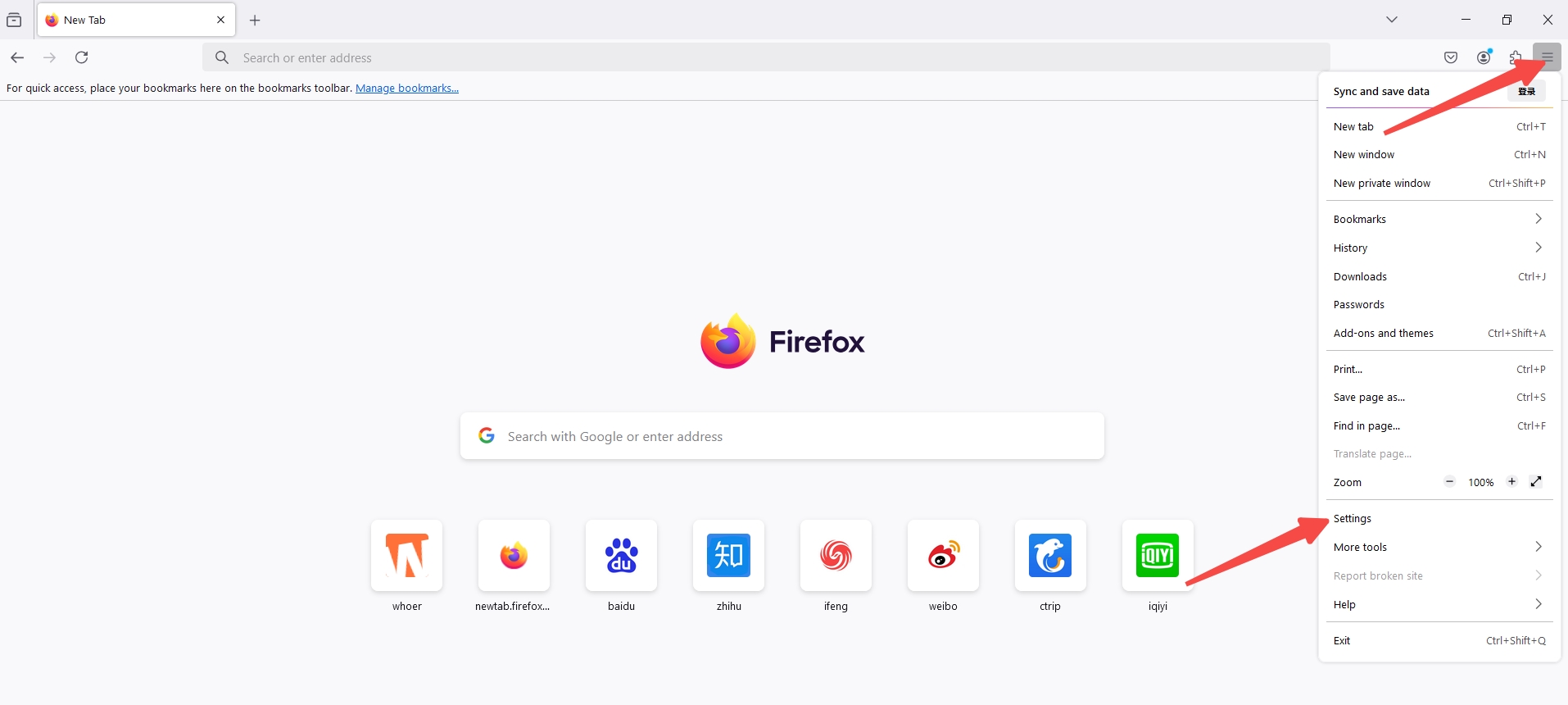
1. Click here to download and install Firefox. Open Firefox, click the menu button (three horizontal lines) in the upper-right corner. From the dropdown menu, select "Settings."
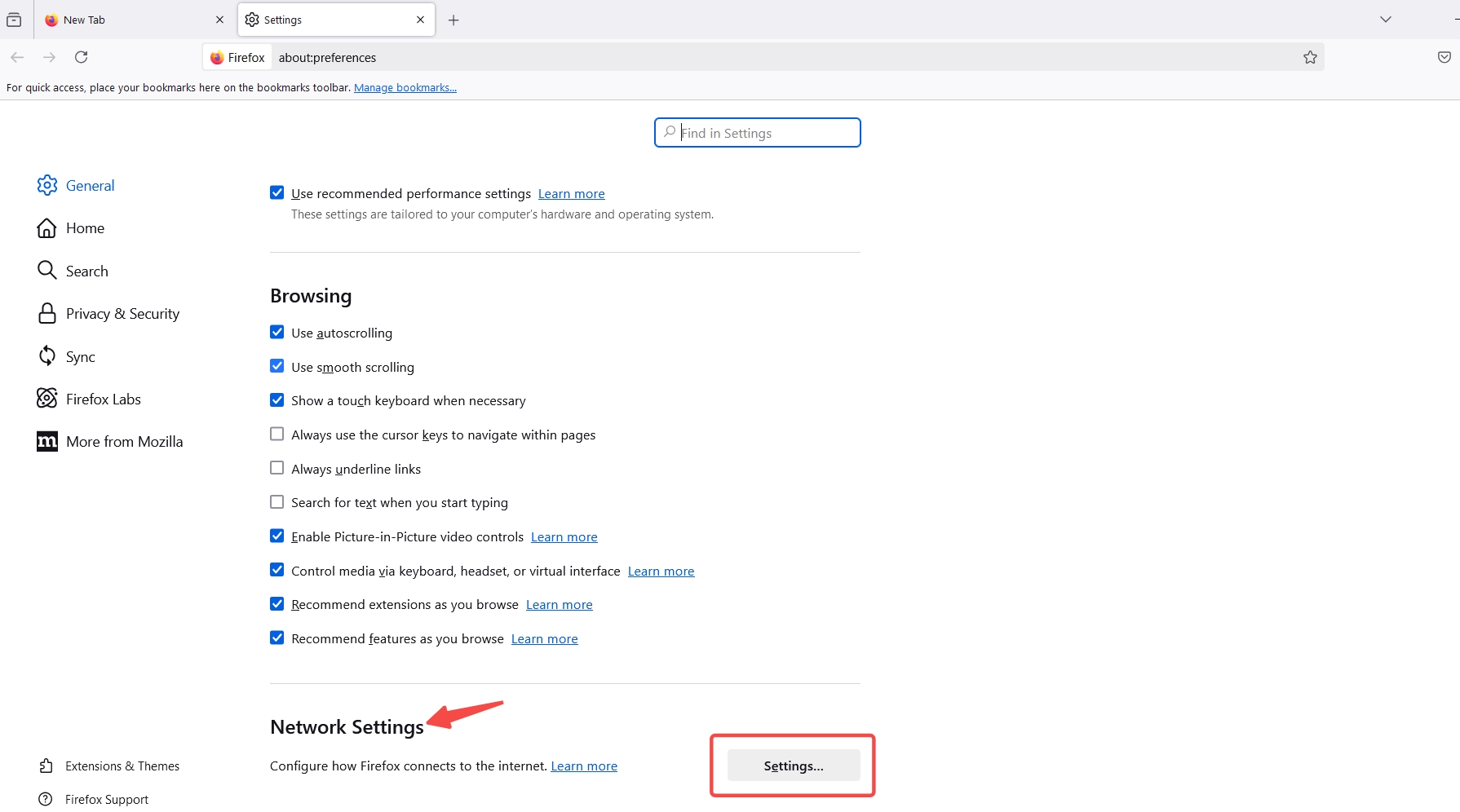
2. Scroll to the bottom of the settings page and click "Settings."
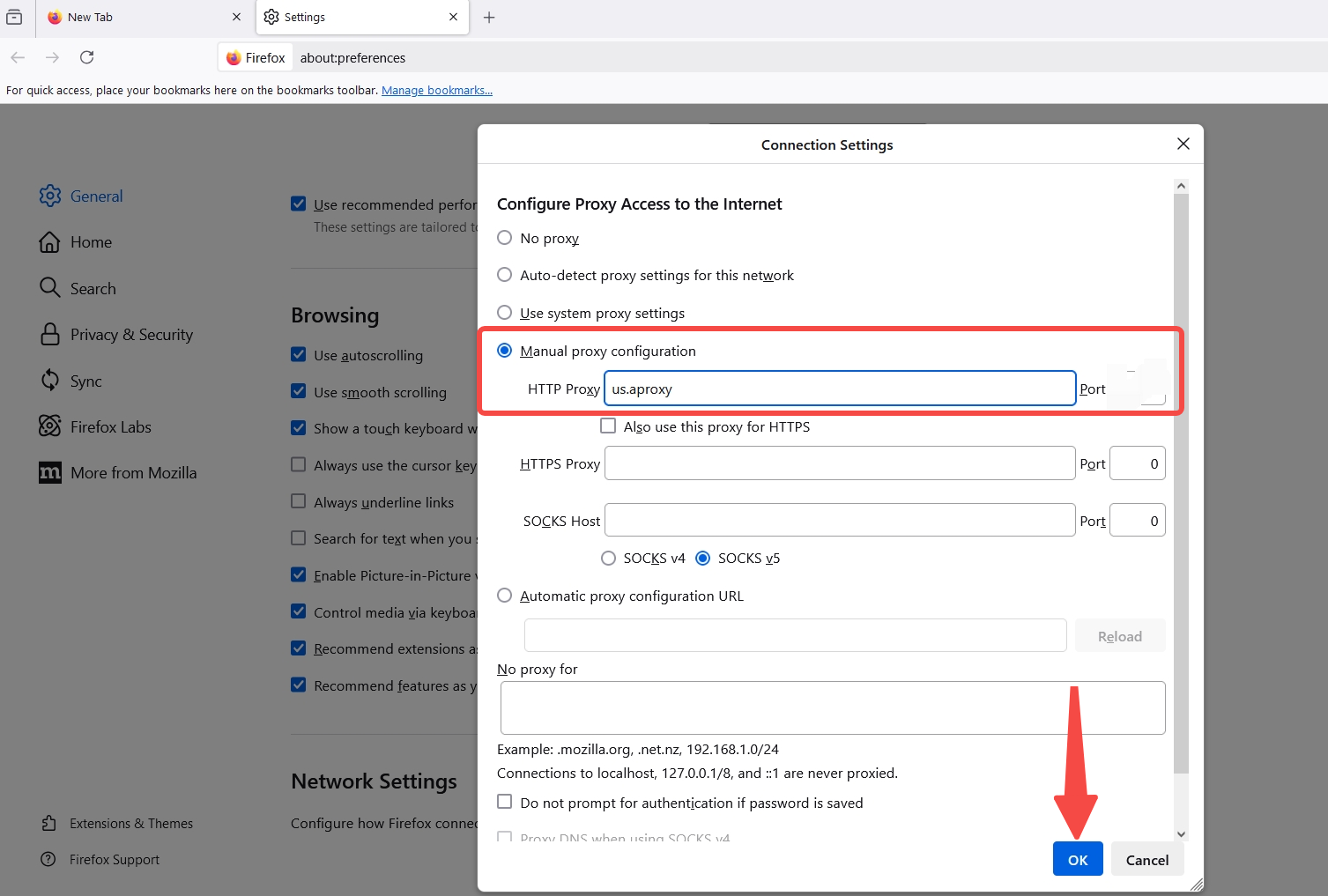
3. Select "Manual proxy configuration," and in the HTTP Proxy box, enter the generated "IP address and port." Finally, click "OK" at the bottom.
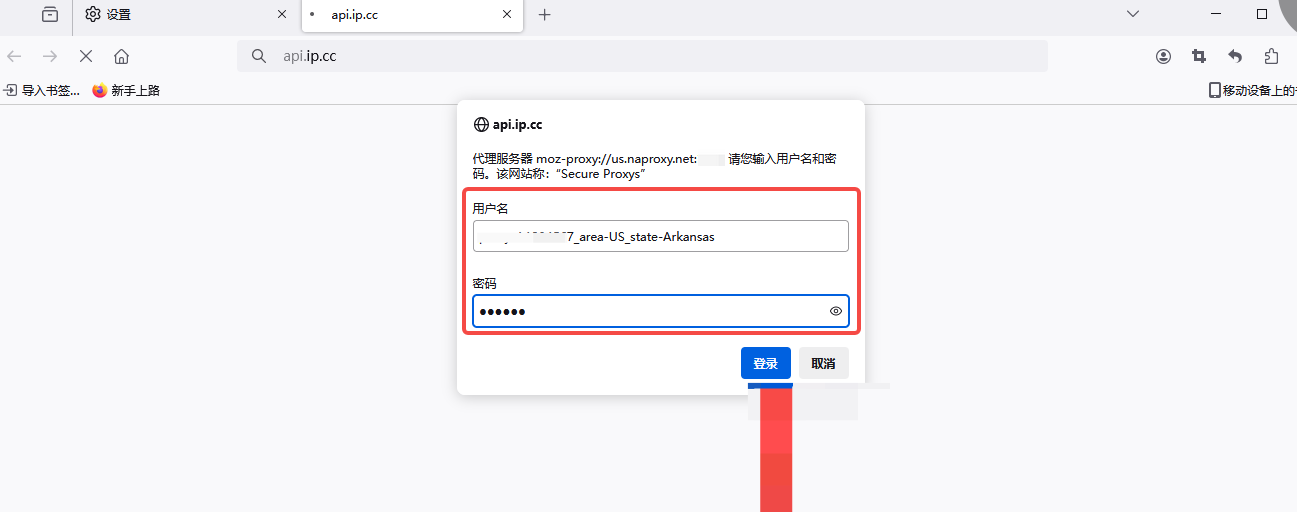
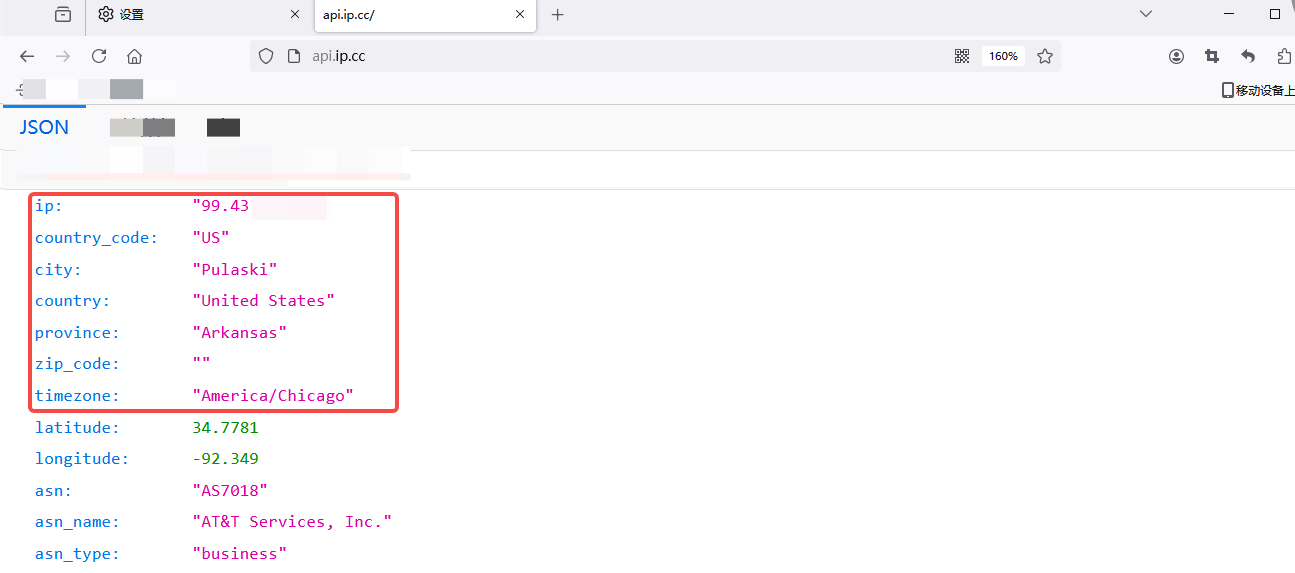
4. After the settings are complete, open the browser window and visit an IP address detection website. In the pop-up window, enter the sub-account name and password, and click "Log In."
5. Confirm if the displayed IP address has changed to the proxy server's IP address. Finally, visit other websites to test the connection, ensuring that everything is working correctly.
 Updated 1 year ago
 Opera Proxy Setting
 Produk Bersertifikat ISO/IEC 27001:2017


