
 Peluncuran Kuat Proksi Residensial!70M+ IP sumber yang patuh, tingkatkan proyek web scraping Anda dengan $0.8/GBBeli Sekarang



 Data untuk AI













 Kembali
Long-term ISP Proxy Account and Password Extraction
1.First, after successfully purchasing Long-term ISP Proxy, go to the official website. Then click on the username in the top right corner to enter the "Account" page.
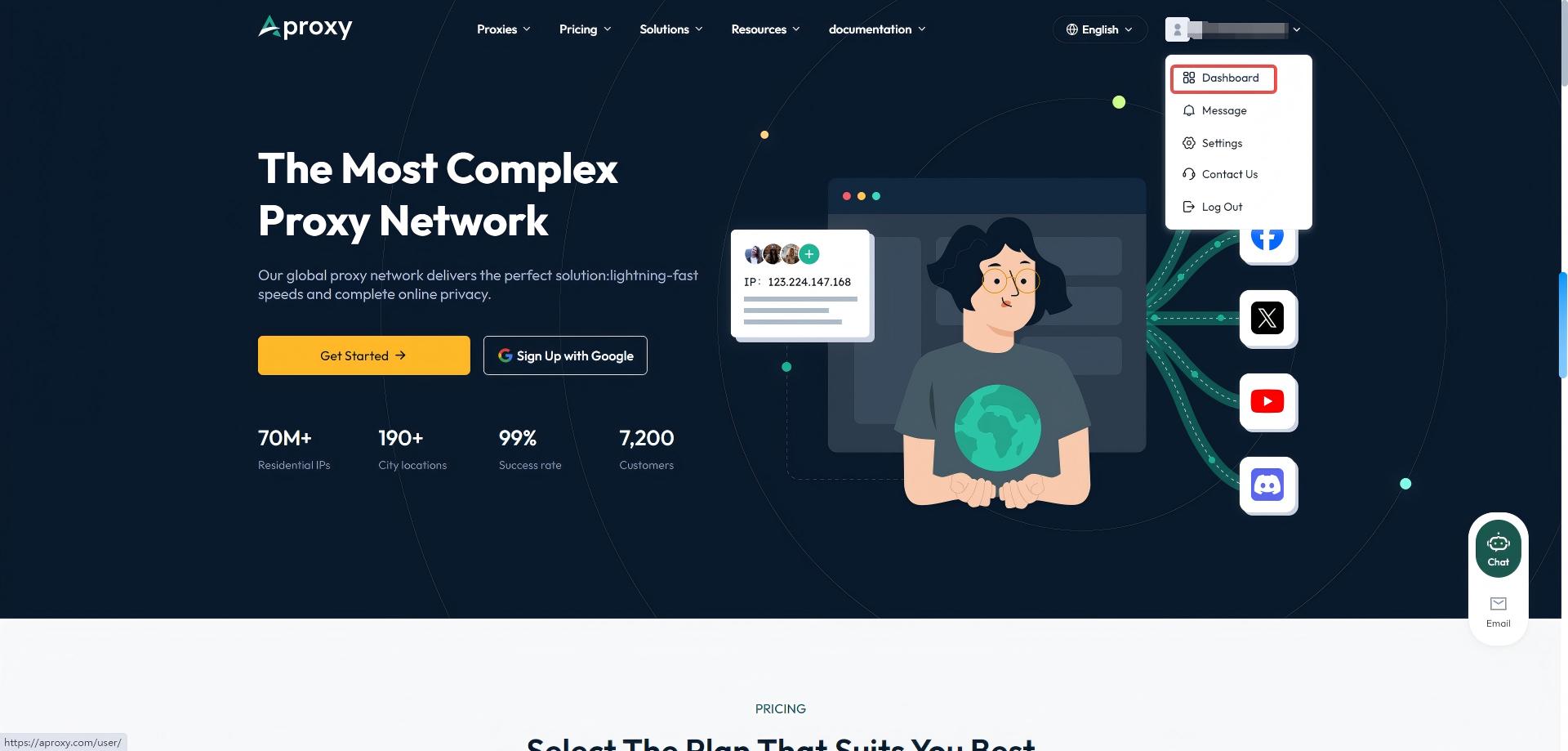
2. Click on "Get Proxy" on the left to enter the account and password extraction page.
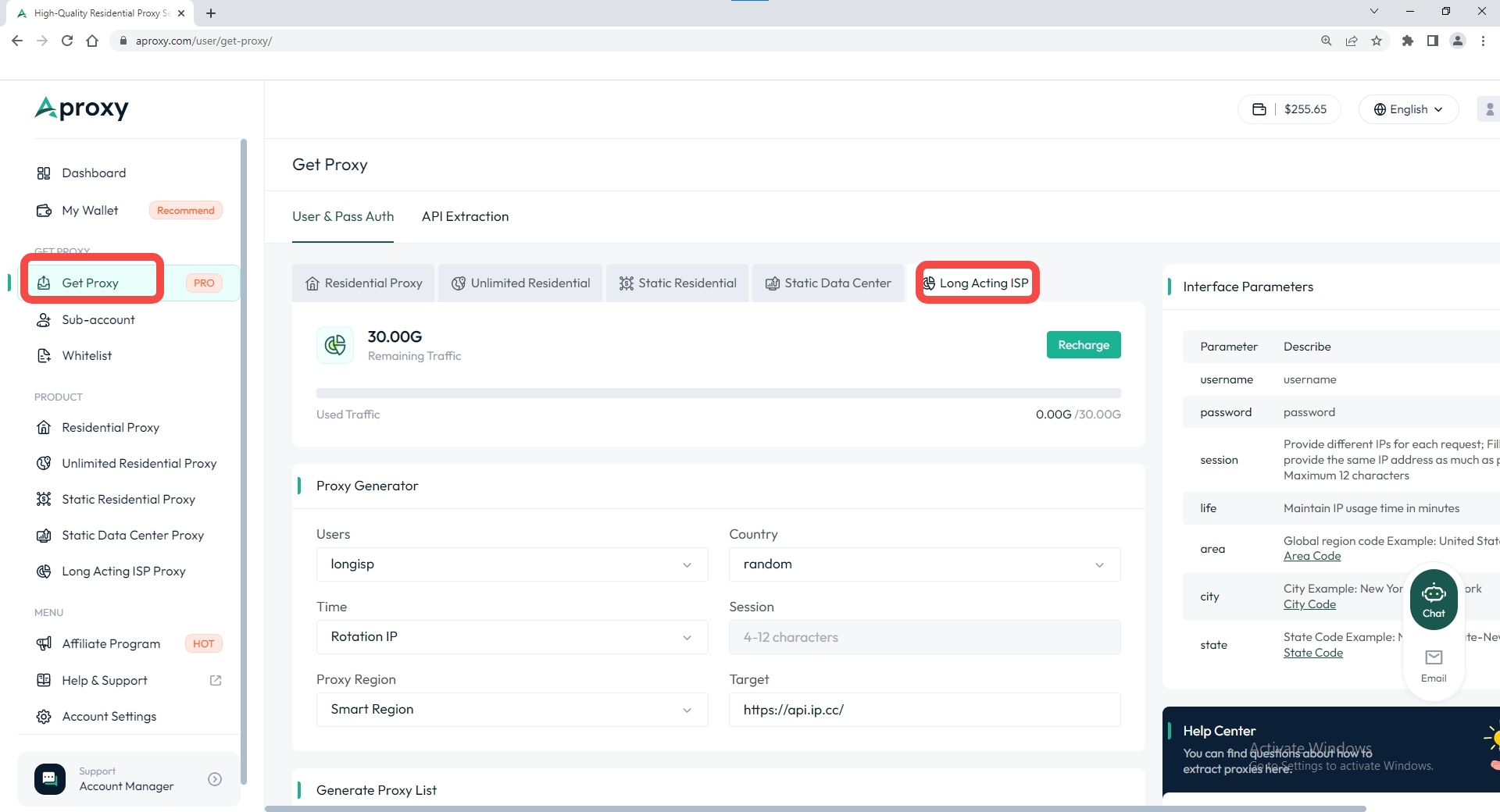
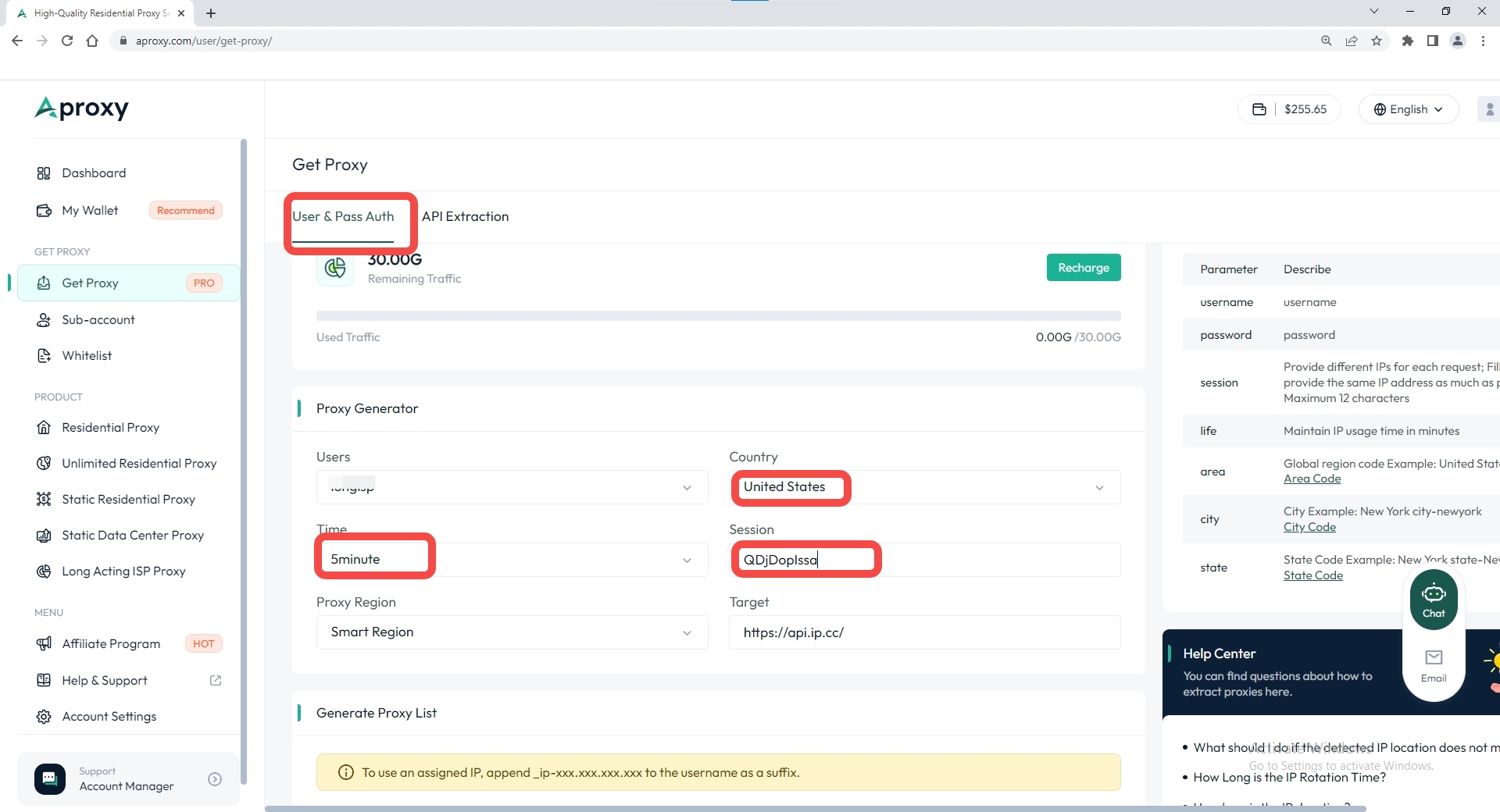
3. Select "Long-term ISP Proxy" as the plan type, then choose the code language to generate. We offer general mode, batch generation, and nine other code languages. Here, we use the general mode to generate account and password for the United States region as an example. Then, select the sub-account, country, time interval, session, and other parameters.
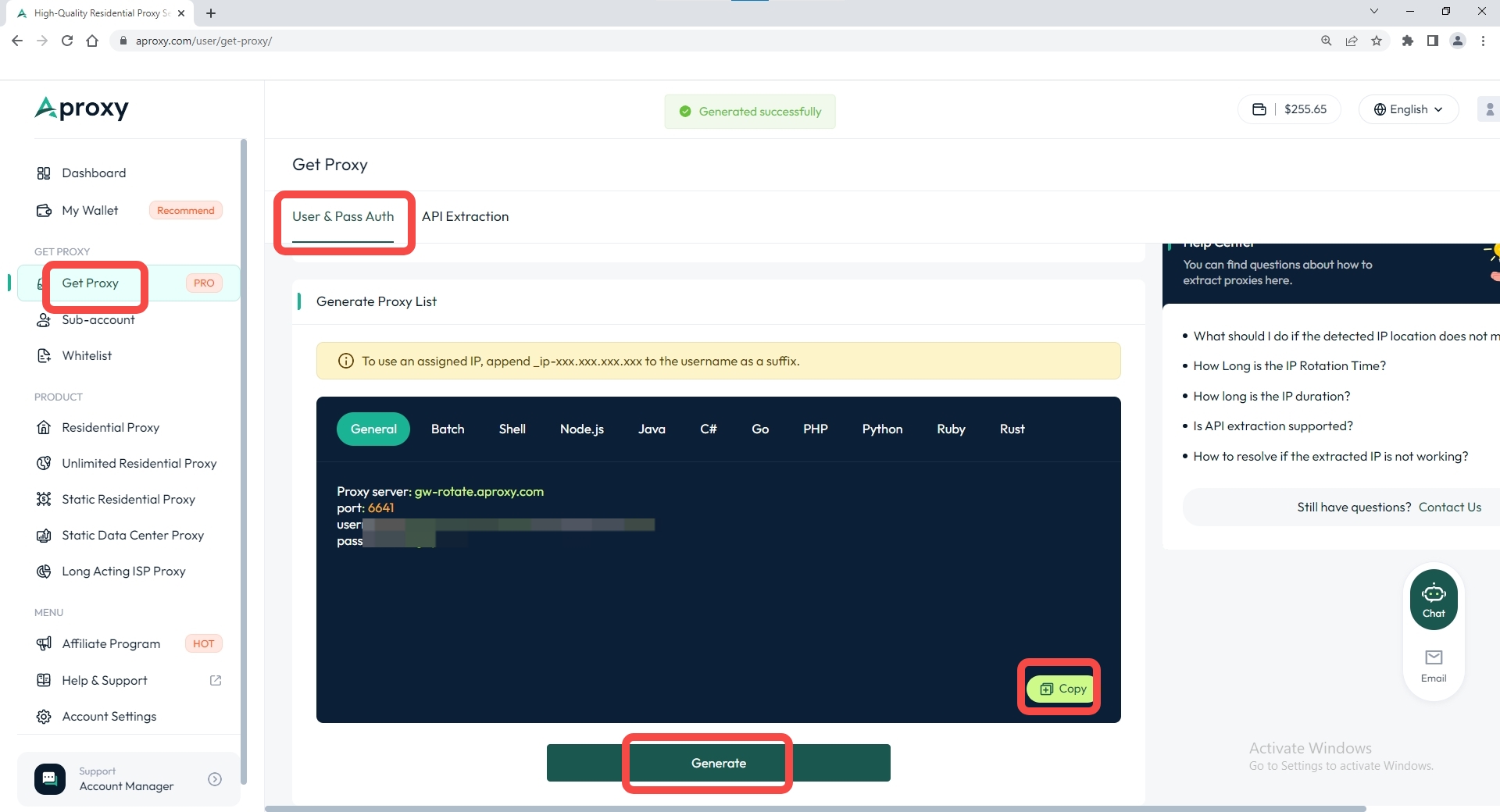
4. Finally, scroll down and click "Generate." The extraction will be successful, and then click "Copy."
 Updated 1 year ago
Long-acting ISP Proxy 

 Produk Bersertifikat ISO/IEC 27001:2017
Mulailah Perjalanan Proxy dan Scraping Efisien Anda.
KASUS PENGGUNAAN
Proxy merangkakPemasaran Media SosialseoVerifikasi IklanBepergianLebih Banyak Kasus PenggunaanHUBUNGI KAMI
support@aproxy.comKASUS PENGGUNAAN
Proxy merangkakPemasaran Media SosialseoVerifikasi IklanBepergianLebih Banyak Kasus PenggunaanHUBUNGI KAMI
support@aproxy.comKebijakan PrivasiKetentuan LayananKebijakan Pengembalian Dana
Hak Cipta © 2023 Aproksi. Semua hak dilindungi undang-undang.


Situs web ini menggunakan cookie untuk meningkatkan pengalaman pengguna. Untuk mempelajari lebih lanjut tentang kebijakan cookie kami atau menarik diri dari kebijakan tersebut, silakan periksa Kebijakan Privasi Dan Kebijakan Cookie.

chat

Email
Hubungi kami melalui email
support@aproxy.com
Kiat:
Berikan nomor akun atau email Anda.
Berikan Tangkapan Layar atau video, dan jelaskan masalahnya.
Kami akan membalas pertanyaan Anda dalam waktu 24 jam.
Kirim Email
