
 Peluncuran Kuat Proksi Residensial!70M+ IP sumber yang patuh, tingkatkan proyek web scraping Anda dengan $0.8/GBBeli Sekarang



 Data untuk AI













 Kembali
Unlimited Residential Proxy Purchasing Guide
There are five types of proxy products in Aproxy, namely Residential Proxy Static Residential Proxy, Unlimited Residential Proxy, Static Data Center Proy, and Long Acting ISP Proxy.
Among them, Unlimited Residential Proxy are available in 1 day, 7 days, 30 days, and 60 days. The concurrent QPS ranges from 1000 QPS to 50000 QPS, and the bandwidth ranges from 200 Mbps to 1000 Mbps.
Here, we will use the purchase of a 1-day Unlimited Residential Proxy plan with 1000 QPS and 200 Mbps bandwidth as an example.
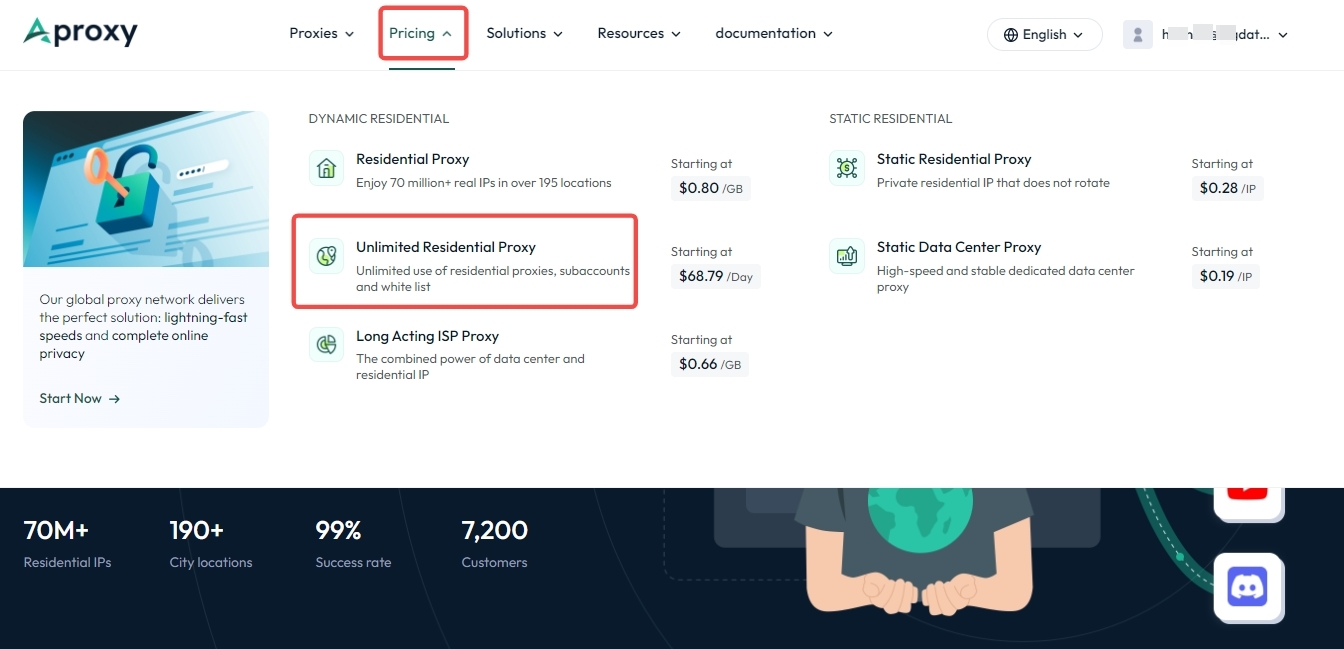
1. First, log in to the Aproxy official website, click on "Pricing" at the top, then click on "Unlimited Residential Proxy" to select the plan you need.
2. Here, select the 1-day Unlimited Residential Proxy plan with 1000 QPS and 200 Mbps bandwidth as an example, and click "Order Now." 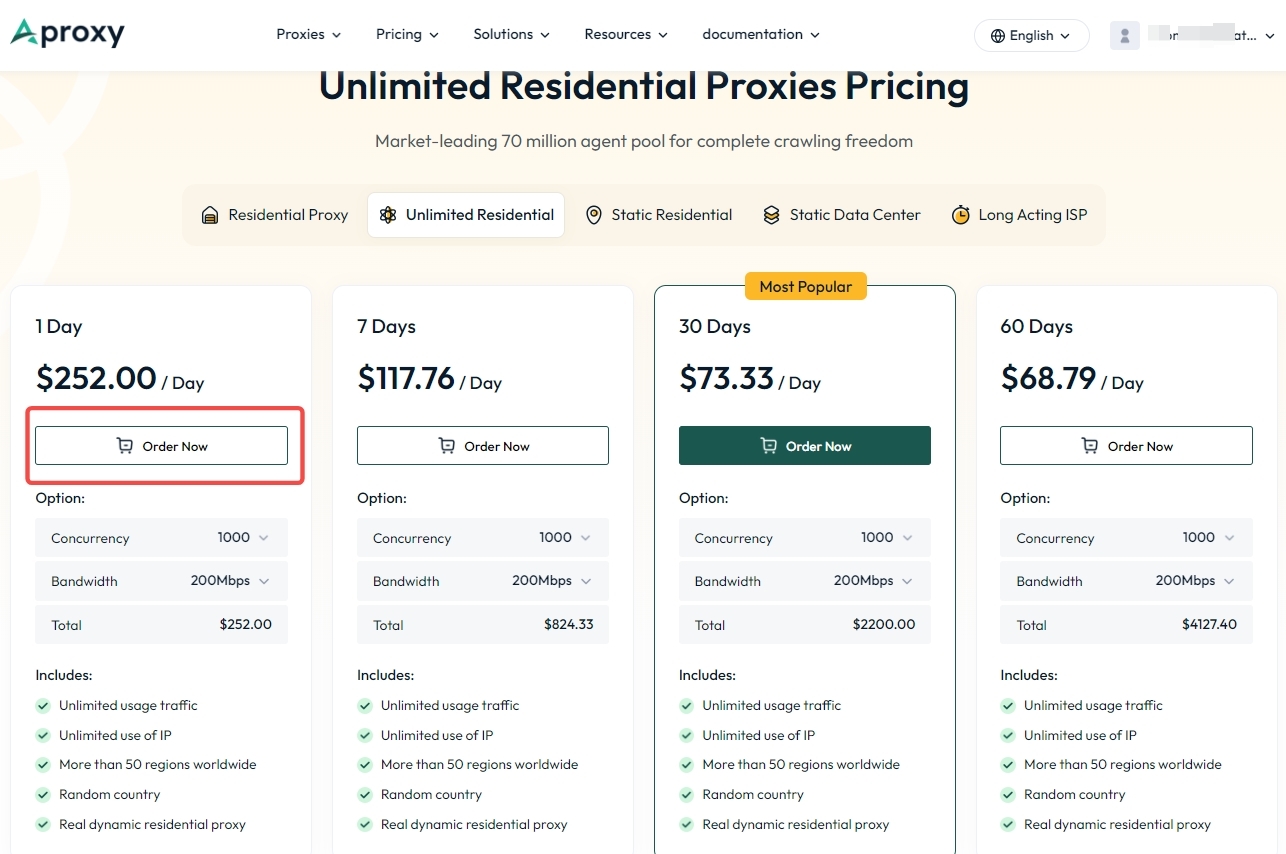
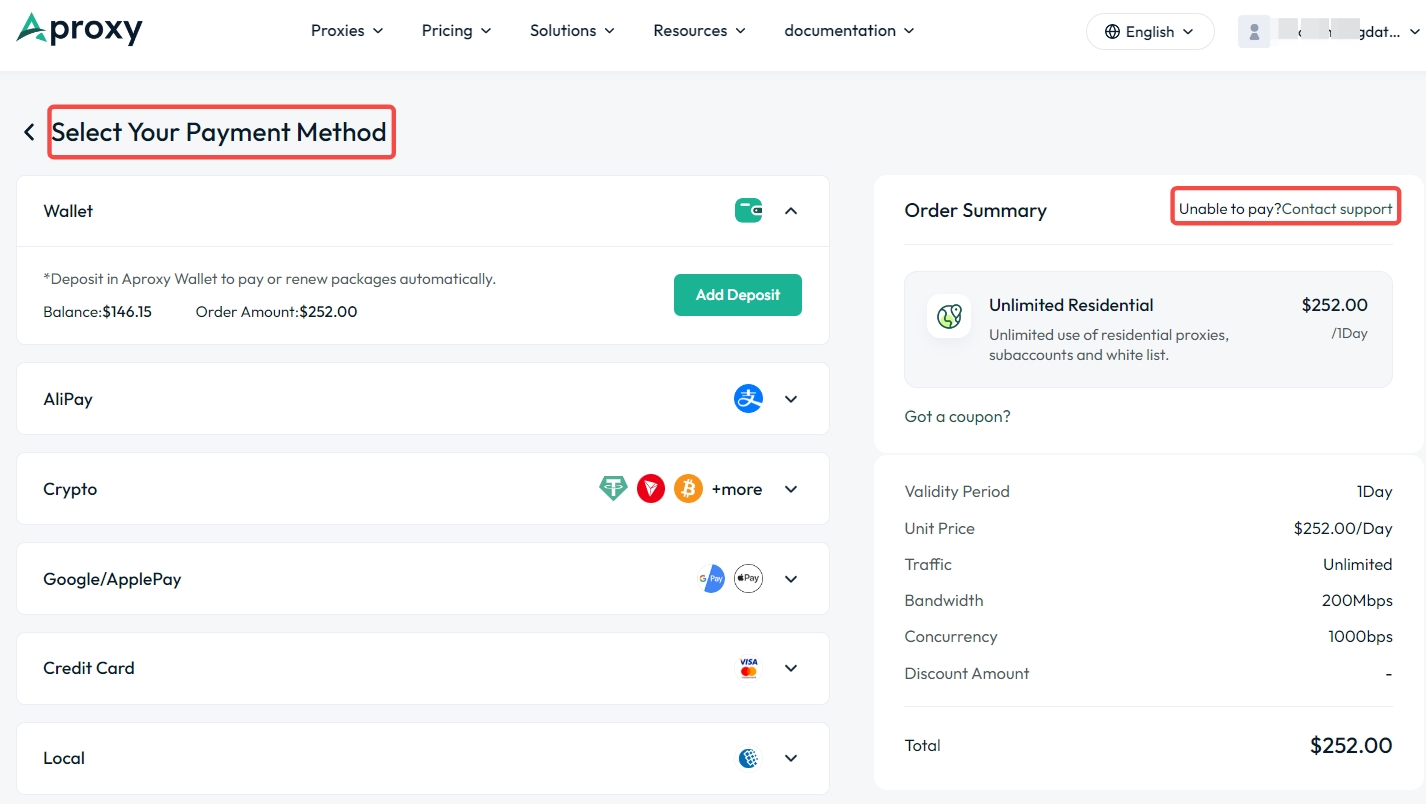
3. Then, select the payment method. Here, we use wallet balance payment as an example. Select "Wallet" and then click "Add Deposit." If payment fails, click "Contact Support."
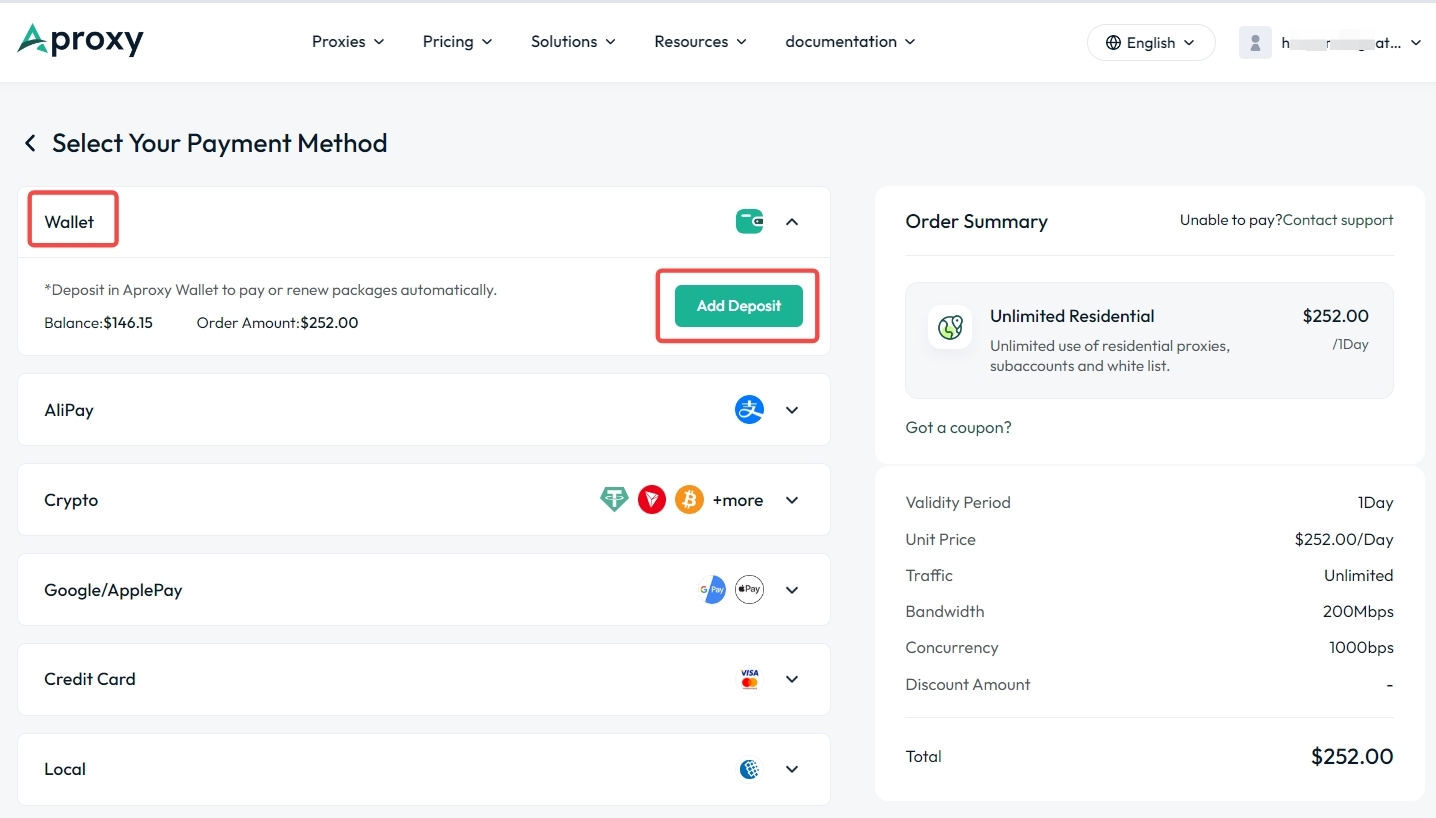
4. After clicking "Continue Purchase" and payment successful , click "View Order Detail" to view your order information.
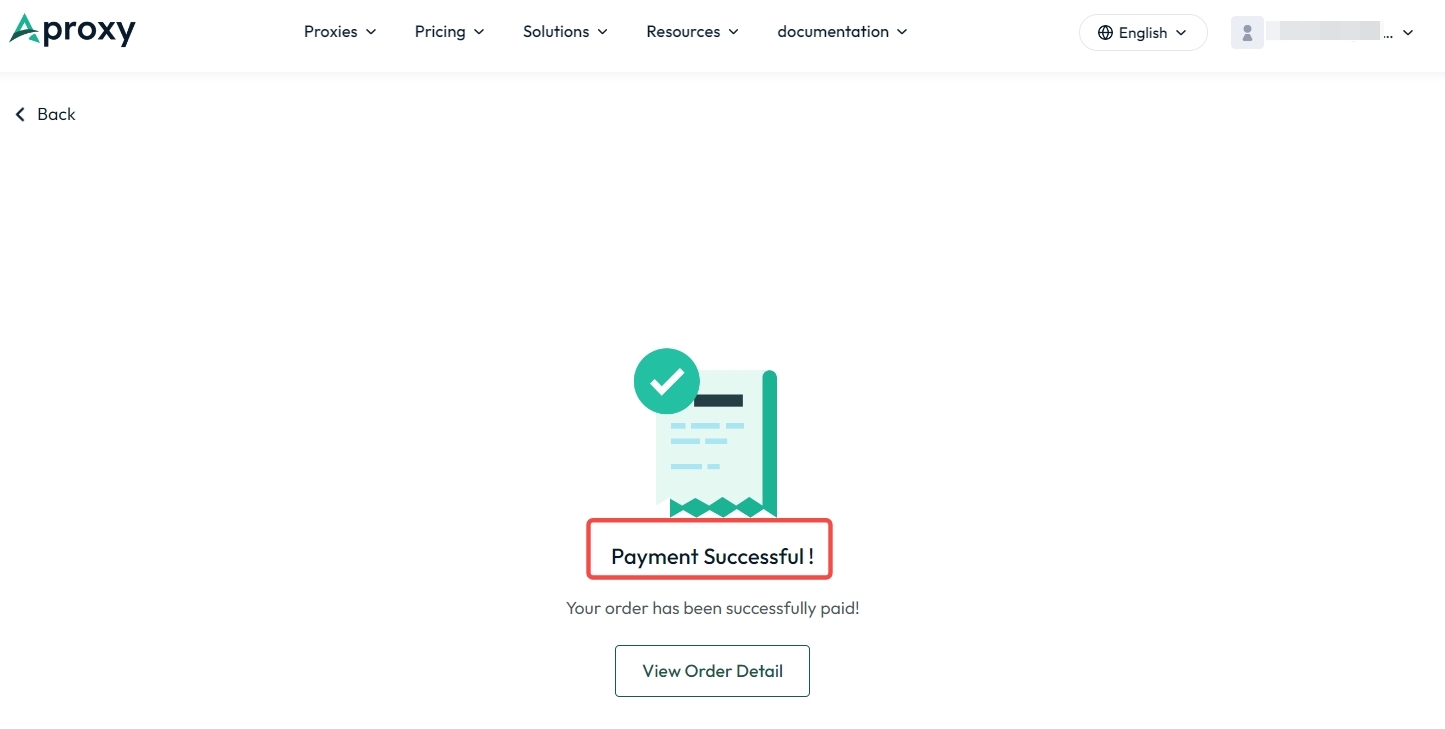
5. If payment cannot be completed or you see the "Order Expired" page, click "Buy Again" to be redirected to the new payment interface, or click "Contact support" and send a screenshot of the issue. We will assist you promptly.
 Updated 1 year ago
 Static Residential Purchase

 Produk Bersertifikat ISO/IEC 27001:2017


