
 Ra mắt mạnh mẽ Proxy Cư Trú!70M+ địa chỉ IP nguồn tuân thủ, nâng cao dự án web scraping của bạn với $0.8/GBMua ngay



 Dữ liệu cho AI













 Mặt sau
Long-term ISP Proxy Account and Password Extraction
1.First, after successfully purchasing Long-term ISP Proxy, go to the official website. Then click on the username in the top right corner to enter the "Account" page.
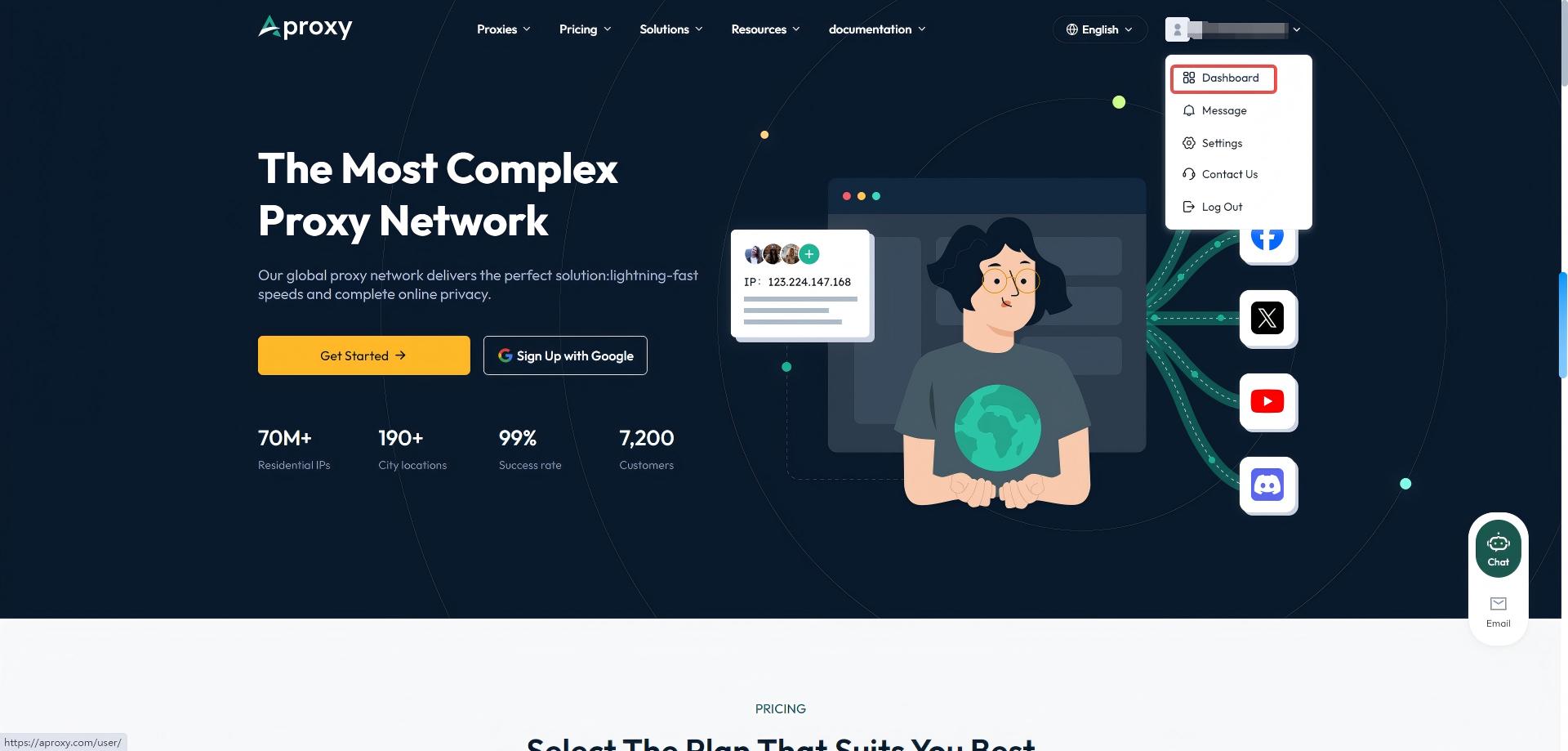
2. Click on "Get Proxy" on the left to enter the account and password extraction page.
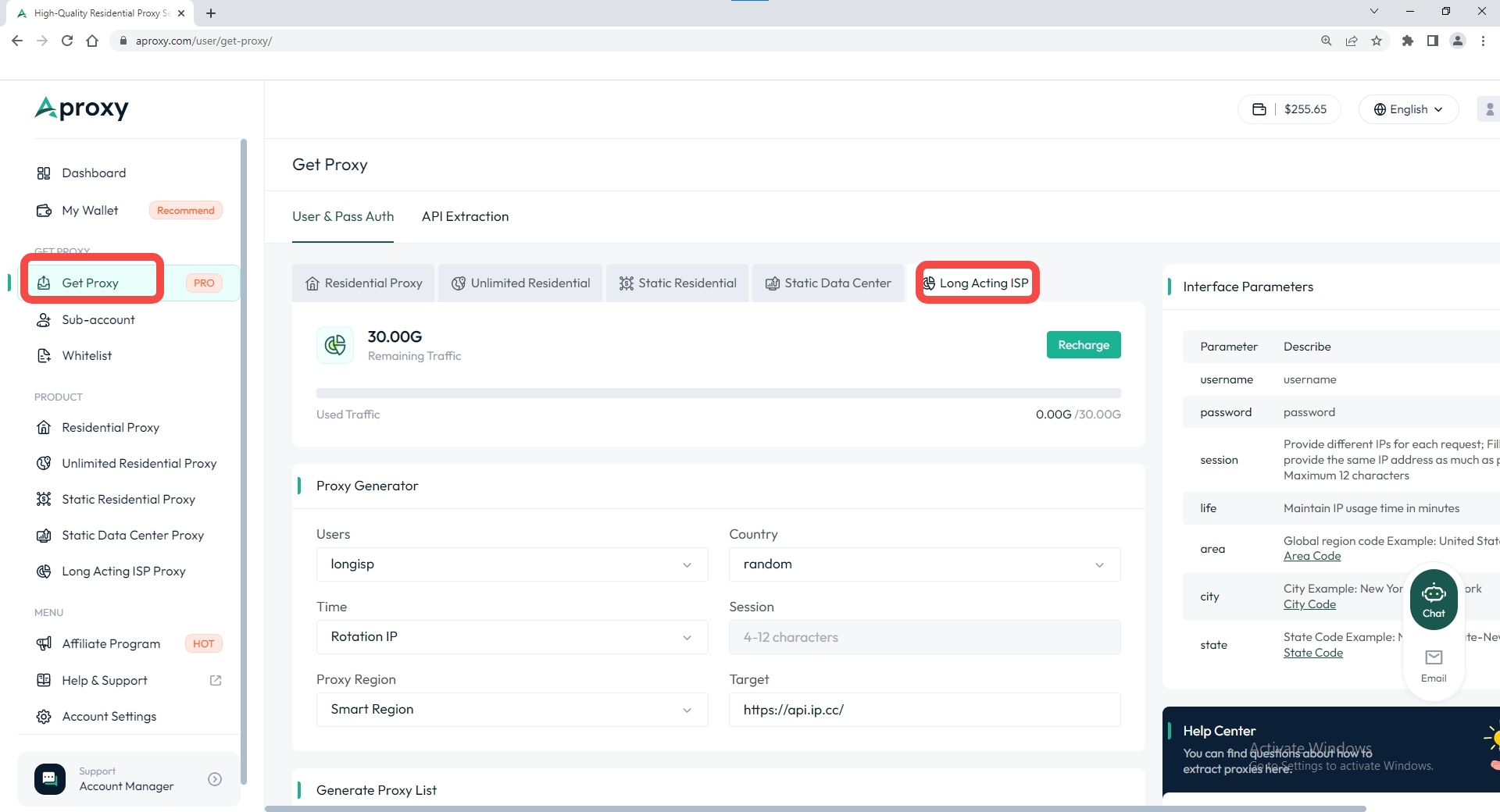
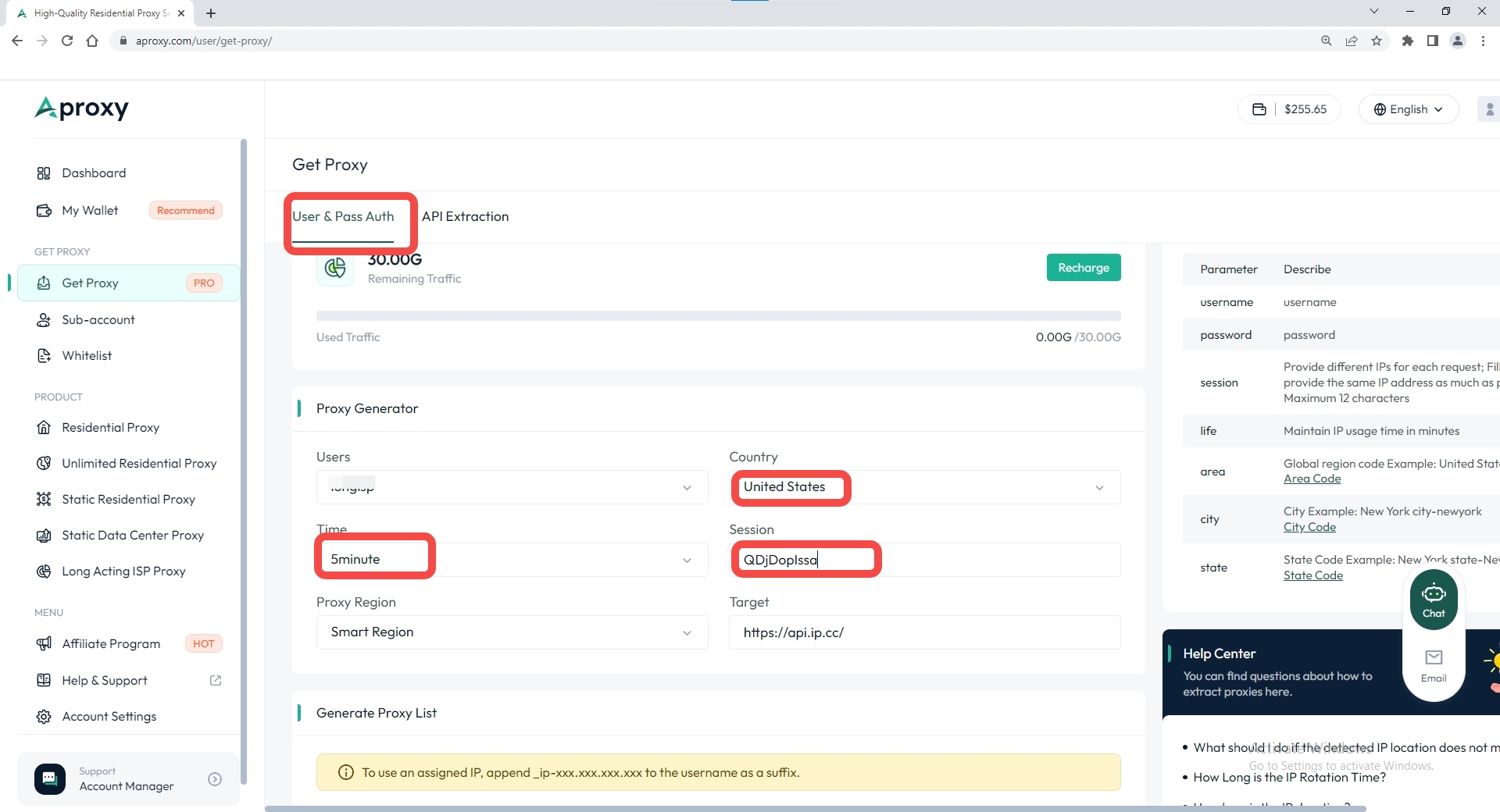
3. Select "Long-term ISP Proxy" as the plan type, then choose the code language to generate. We offer general mode, batch generation, and nine other code languages. Here, we use the general mode to generate account and password for the United States region as an example. Then, select the sub-account, country, time interval, session, and other parameters.
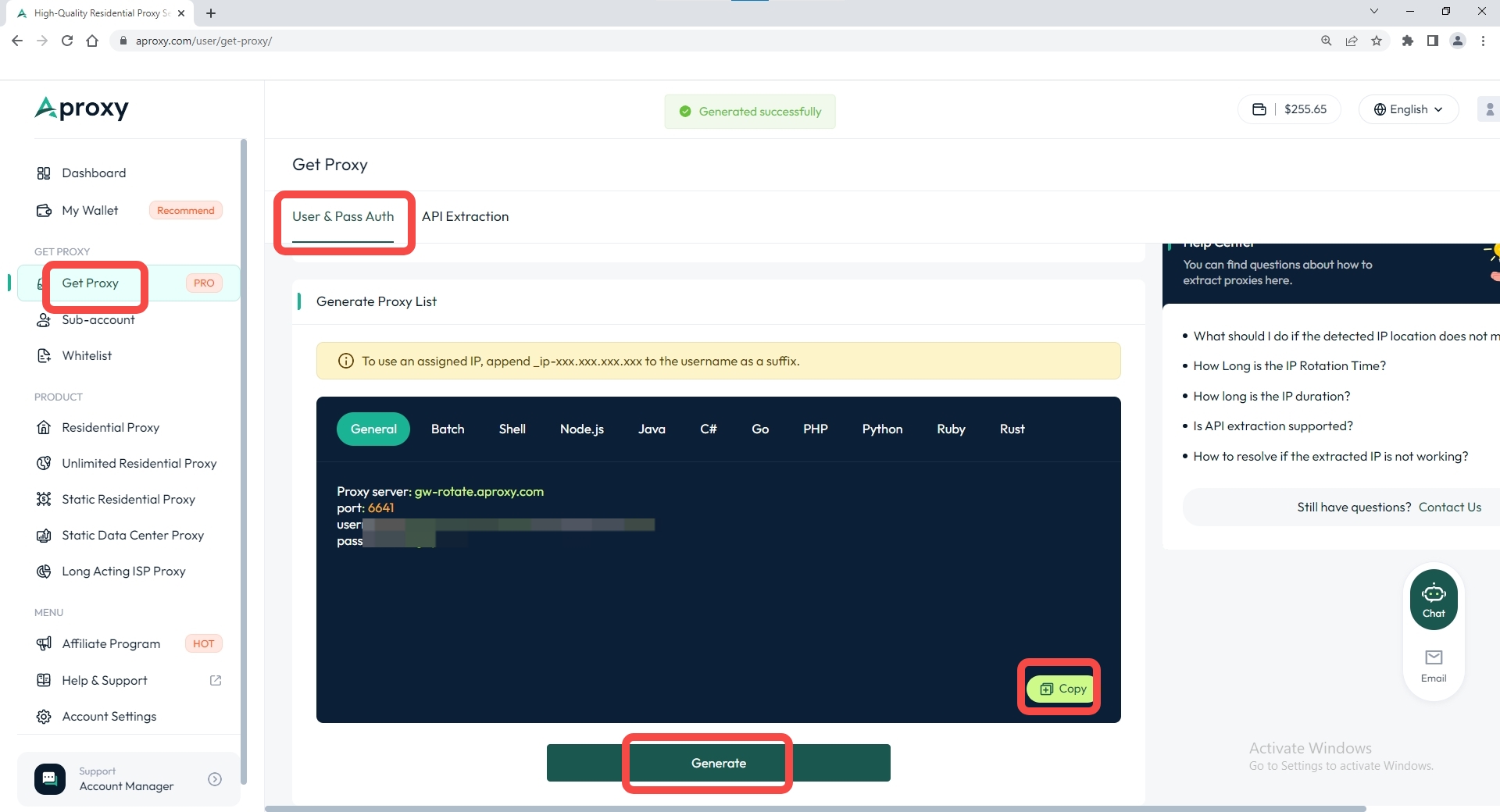
4. Finally, scroll down and click "Generate." The extraction will be successful, and then click "Copy."
 Updated 1 year ago
Long-acting ISP Proxy 

 Sản phẩm được chứng nhận ISO/IEC 27001:2017
Bắt đầu hành trình quét và ủy quyền hiệu quả của bạn.
CÁC TRƯỜNG HỢP SỬ DỤNG
Thu thập thông tinTiếp thị truyền thông xã hộiSEOXác minh quảng cáoDu lịchNhiều trường hợp sử dụng hơnLIÊN HỆ VỚI CHÚNG TÔI
support@aproxy.comCÁC TRƯỜNG HỢP SỬ DỤNG
Thu thập thông tinTiếp thị truyền thông xã hộiSEOXác minh quảng cáoDu lịchNhiều trường hợp sử dụng hơnLIÊN HỆ VỚI CHÚNG TÔI
support@aproxy.comChính sách bảo mậtĐiều khoản dịch vụChính sách hoàn tiền
Bản quyền © 2023 Aproxy. Mọi quyền được bảo lưu.


Trang web này sử dụng cookie để cải thiện trải nghiệm người dùng. Để tìm hiểu thêm về chính sách cookie của chúng tôi hoặc rút khỏi chính sách đó, vui lòng kiểm tra Chính sách bảo mật Và Chính sách cookie.

chat

Email
Liên hệ với chúng tôi qua email
support@aproxy.com
Lời khuyên:
Cung cấp số tài khoản hoặc email của bạn.
Cung cấp Ảnh chụp màn hình hoặc video và chỉ cần mô tả vấn đề.
Chúng tôi sẽ trả lời câu hỏi của bạn trong vòng 24h.
Gửi email
