
 Ra mắt mạnh mẽ Proxy Cư Trú!70M+ địa chỉ IP nguồn tuân thủ, nâng cao dự án web scraping của bạn với $0.8/GBMua ngay



 Dữ liệu cho AI













 Mặt sau
IP Whitelist Addition Guide
Note: Due to policy reasons, this service is currently unavailable for users in mainland China. We apologize for the inconvenience!
1. Enter the Aproxy official website, click on "Log In" at the top right corner, or click here .

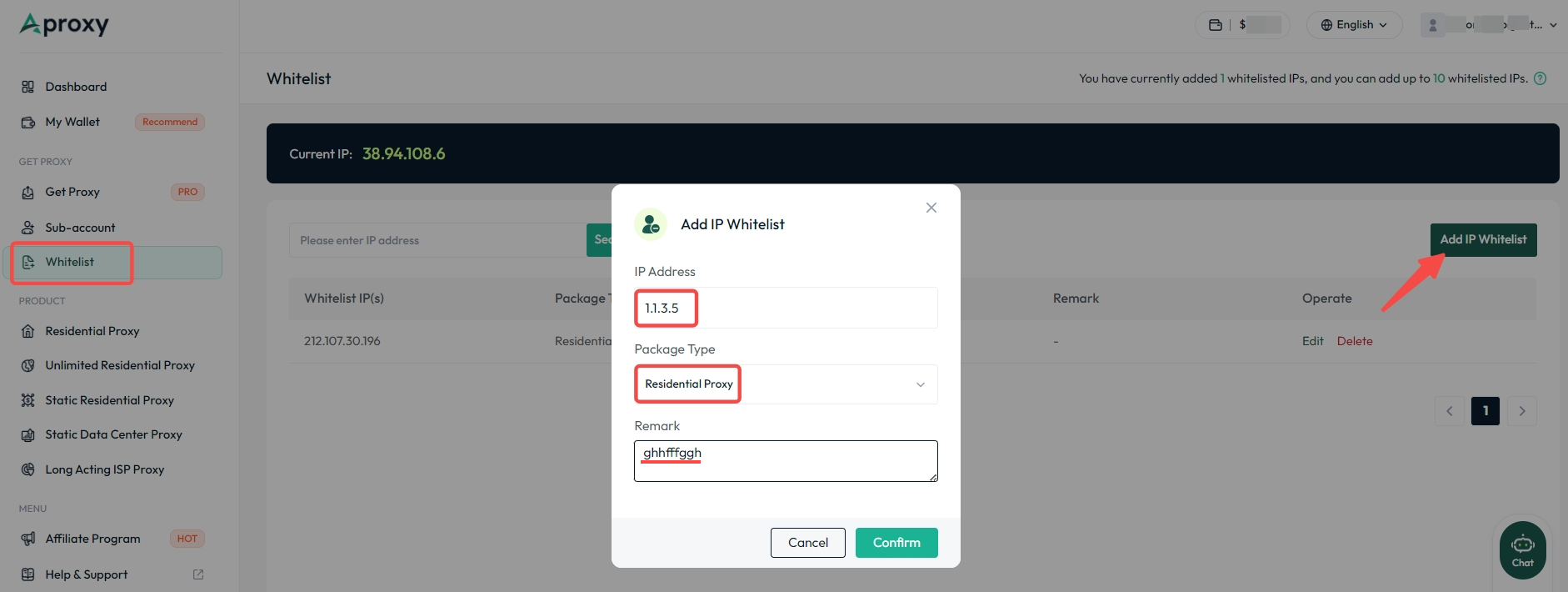
2. After logging in, you will be automatically redirected to the account page. Click on "Whitelist" on the left to enter the IP whitelist management page. Enter your device's IP address (IP address detection website) or copy the IP address generated above, then paste it into the box below. Select the plan type to be added. Here, we use "Residential Proxy" as an example. After selection, click "Add IP Whitelist" on the right. Add a note and click "Confirm."
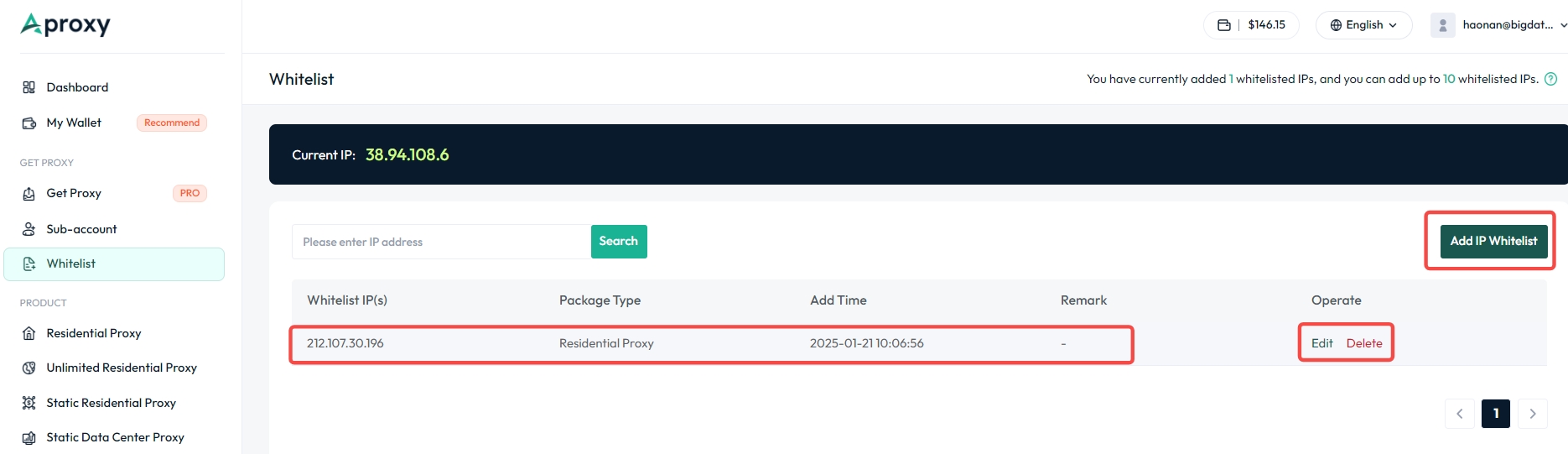
3. Now, you have successfully added an IP whitelist. You can also edit the note or delete it on the right.
 Updated 1 year ago
 Sub-account Addition Tutorial

 Sản phẩm được chứng nhận ISO/IEC 27001:2017


