
 Ra mắt mạnh mẽ Proxy Cư Trú!70M+ địa chỉ IP nguồn tuân thủ, nâng cao dự án web scraping của bạn với $0.8/GBMua ngay



 Dữ liệu cho AI













 Mặt sau
Usage method
Follow these simple steps to quickly get started using Aproxy's Universal Scraping API to bypass website restrictions and scrape data seamlessly.
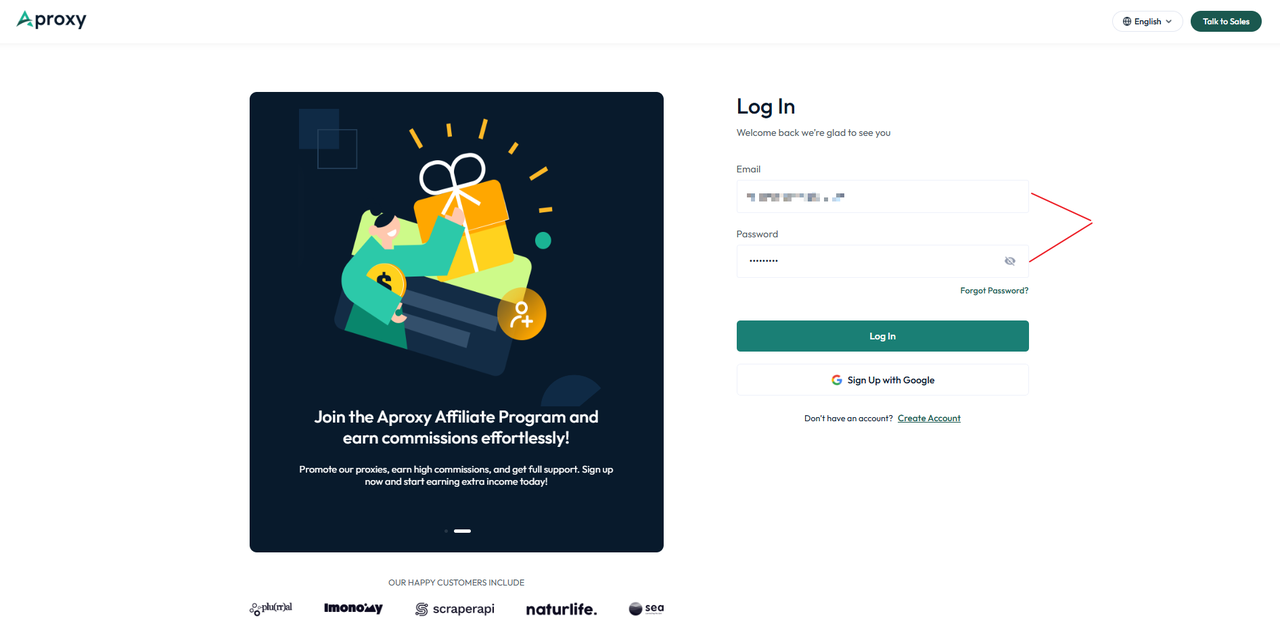
1. Register and log in
Visit the Aproxy official website and sign up, or sign up and log in immediately using your Google account.
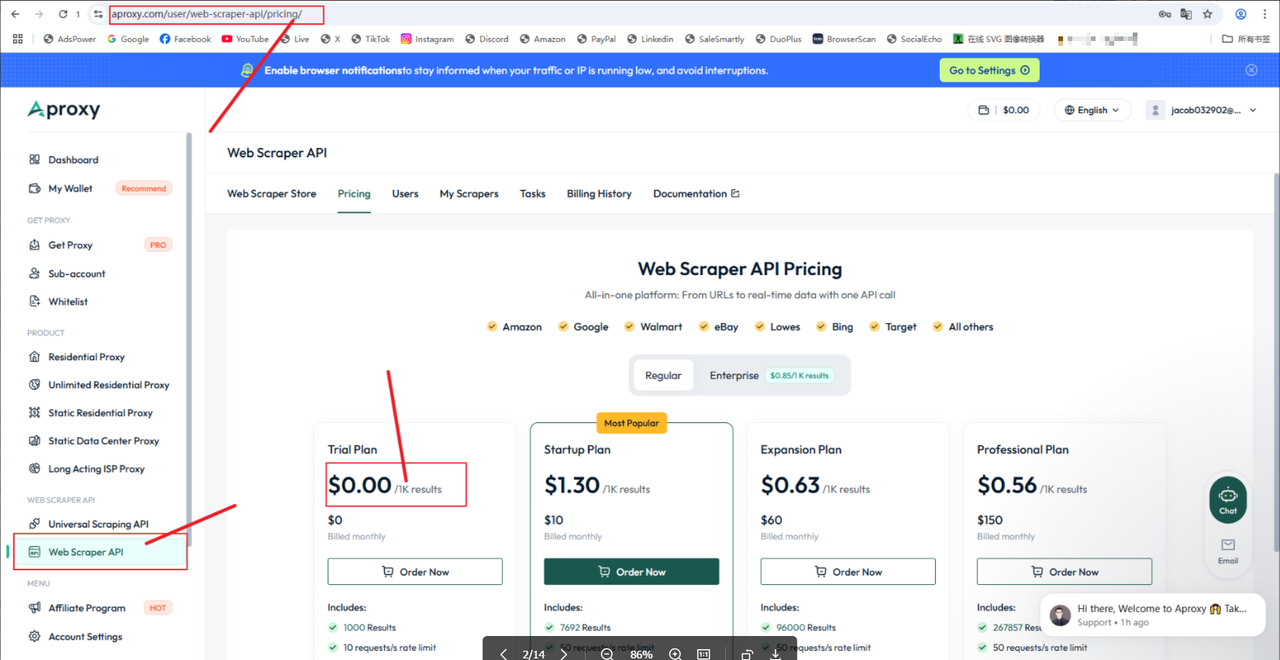
2.Request a free trial
After logging in, navigate to Web Scraper API, click Buy, and then choose the appropriate payment method. (No payment required for the trial)
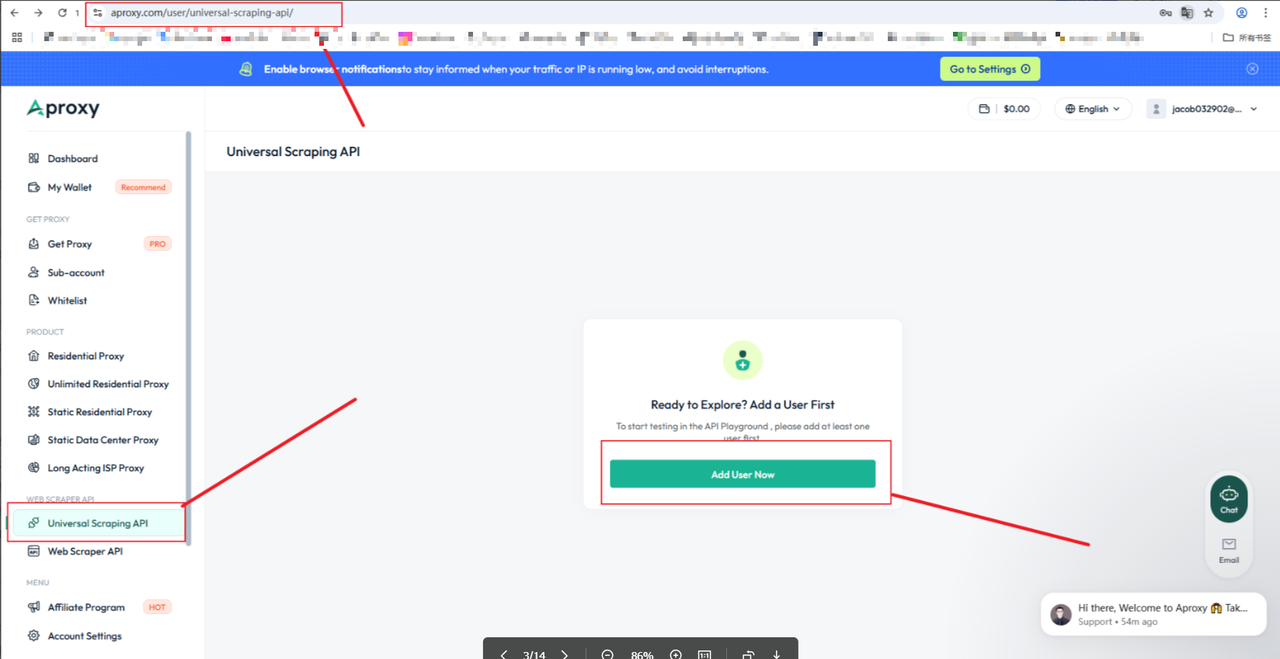
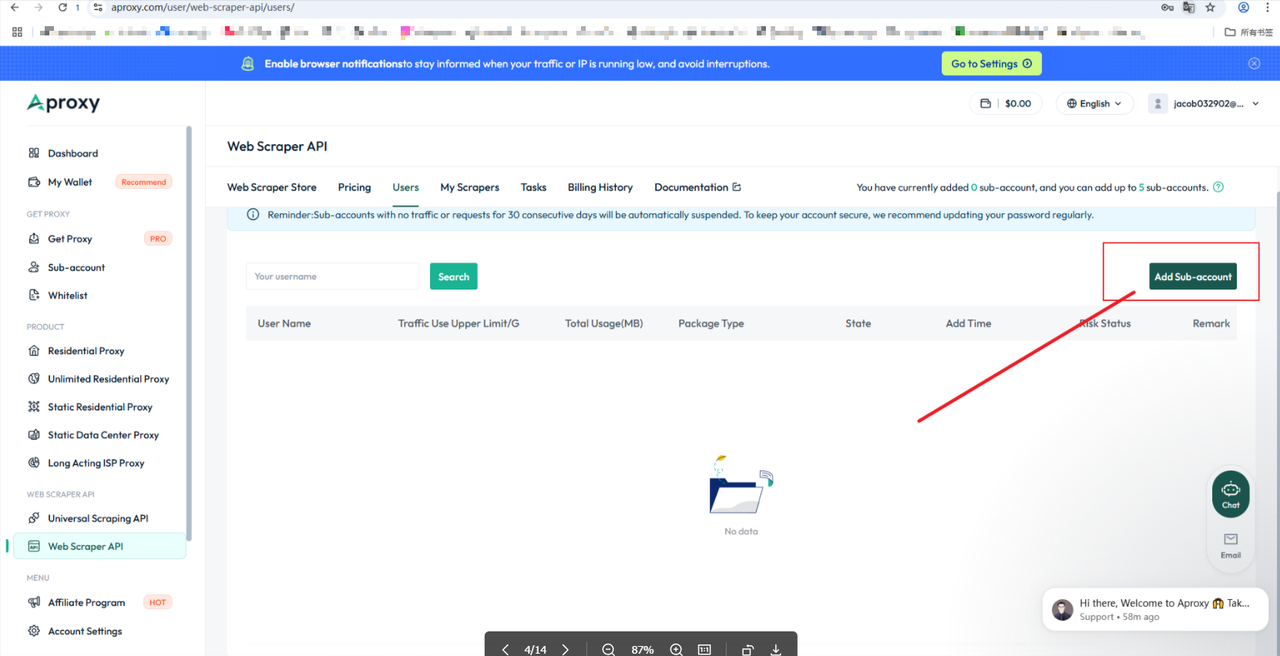
3.To add a user
After the trial is activated, go to Web Scrape API User User to add a user
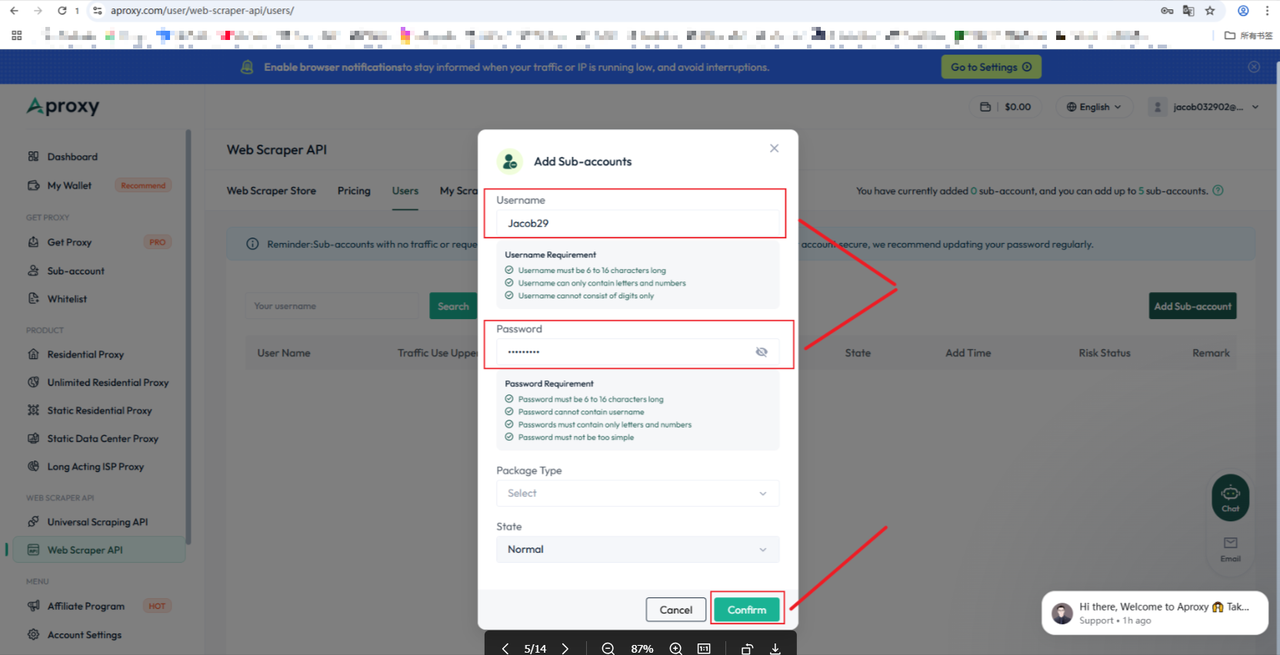
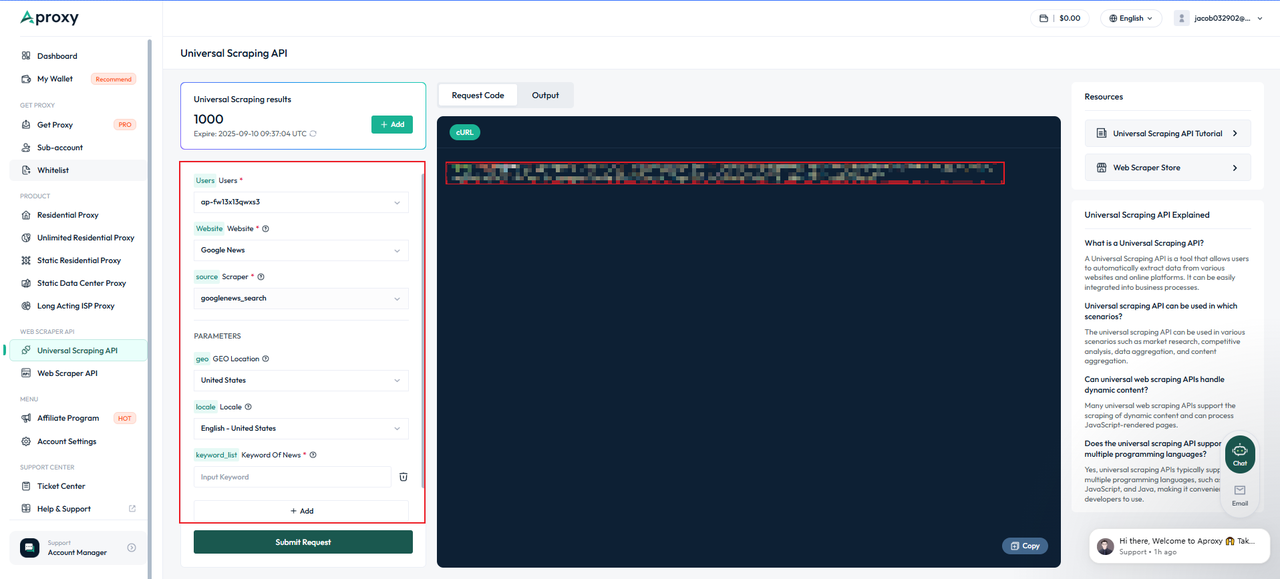
4.Configuration parameters
After selecting your target URL, you can configure key parameters and output formats, including JavaScript rendering, geo-targeting, and HTML/PNG output. Once configured, the right panel will provide a variety of code snippets (such as cURL, Shell, Python, PHP, Node.js, Go, Java, C#, and more) for you to copy and select for easy integration into your platform.
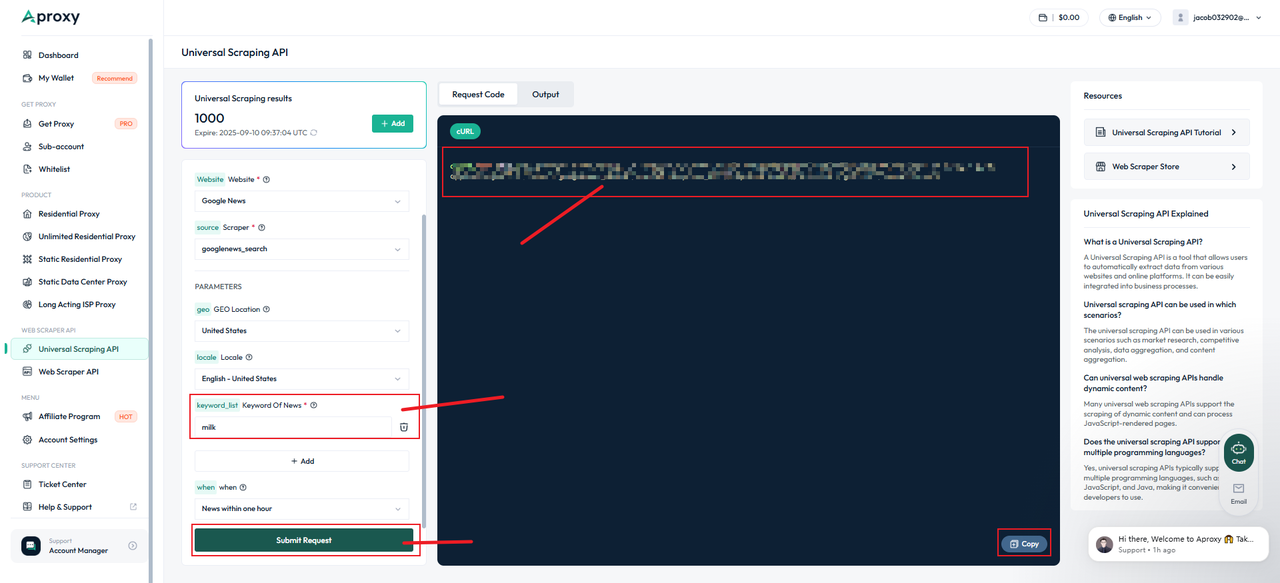
5.Start crawling
After configuring the parameters, click [Start Capturing] to view the real-time captured results (PNG/HTML) in the right panel according to your output format settings.
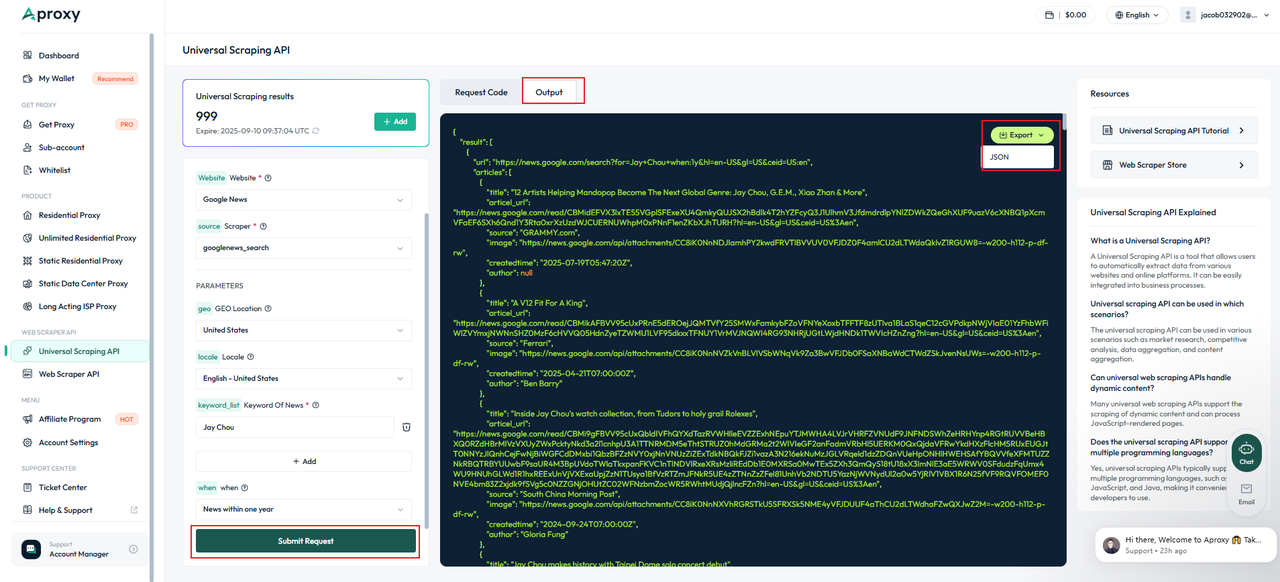
6.Result preview and download
After the task is complete, wait for the API to process and return the results. View the results in the Output Preview tab, which displays the output code and HTML/PNG preview. Use the buttons in the upper right corner to export the data as JSON or HTML.
 Updated 1 year ago
 Introduction
Query parameters 

 Sản phẩm được chứng nhận ISO/IEC 27001:2017
Bắt đầu hành trình quét và ủy quyền hiệu quả của bạn.
CÁC TRƯỜNG HỢP SỬ DỤNG
Thu thập thông tinTiếp thị truyền thông xã hộiSEOXác minh quảng cáoDu lịchNhiều trường hợp sử dụng hơnLIÊN HỆ VỚI CHÚNG TÔI
support@aproxy.comCÁC TRƯỜNG HỢP SỬ DỤNG
Thu thập thông tinTiếp thị truyền thông xã hộiSEOXác minh quảng cáoDu lịchNhiều trường hợp sử dụng hơnLIÊN HỆ VỚI CHÚNG TÔI
support@aproxy.comChính sách bảo mậtĐiều khoản dịch vụChính sách hoàn tiền
Bản quyền © 2023 Aproxy. Mọi quyền được bảo lưu.


Trang web này sử dụng cookie để cải thiện trải nghiệm người dùng. Để tìm hiểu thêm về chính sách cookie của chúng tôi hoặc rút khỏi chính sách đó, vui lòng kiểm tra Chính sách bảo mật Và Chính sách cookie.

chat

Email
Liên hệ với chúng tôi qua email
support@aproxy.com
Lời khuyên:
Cung cấp số tài khoản hoặc email của bạn.
Cung cấp Ảnh chụp màn hình hoặc video và chỉ cần mô tả vấn đề.
Chúng tôi sẽ trả lời câu hỏi của bạn trong vòng 24h.
Gửi email
