
 Ra mắt mạnh mẽ Proxy Cư Trú!70M+ địa chỉ IP nguồn tuân thủ, nâng cao dự án web scraping của bạn với $0.8/GBMua ngay



 Dữ liệu cho AI













 Mặt sau
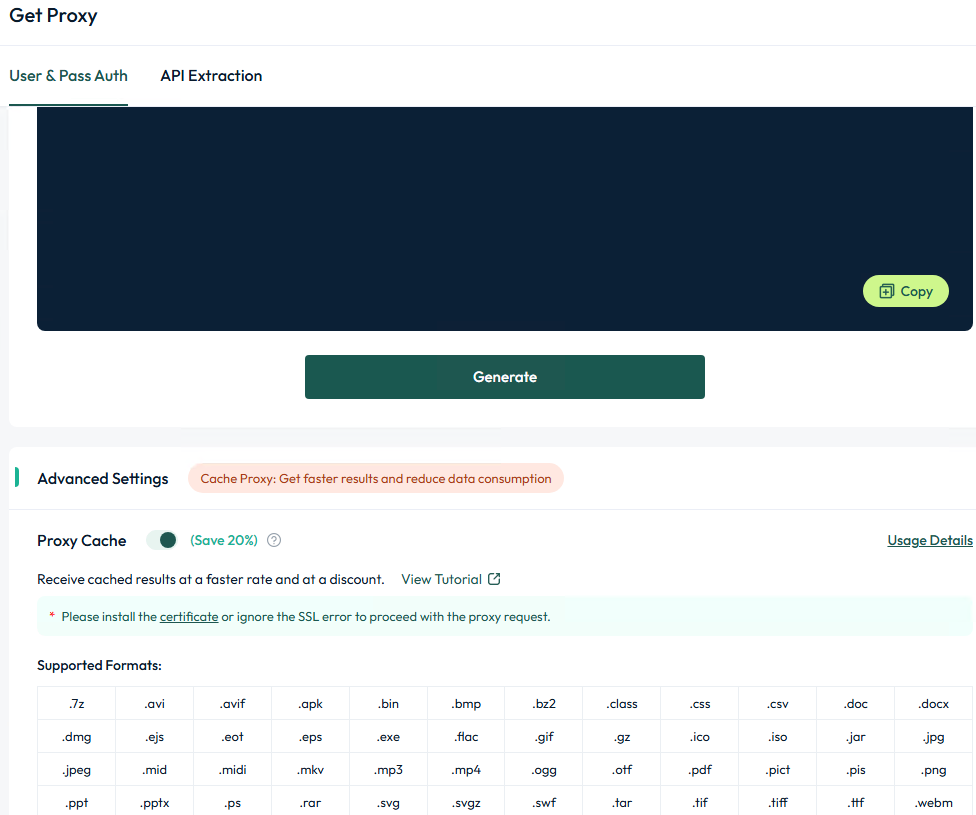
Windows proxy cache settings
1. Summary
The cache proxy function can reduce unnecessary traffic consumption of the target website, get results faster and reduce data consumption.
2. Operation steps
2.1. Visit the official website (https://aproxy.com/aproxy.crt/) to download the proxy certificate.
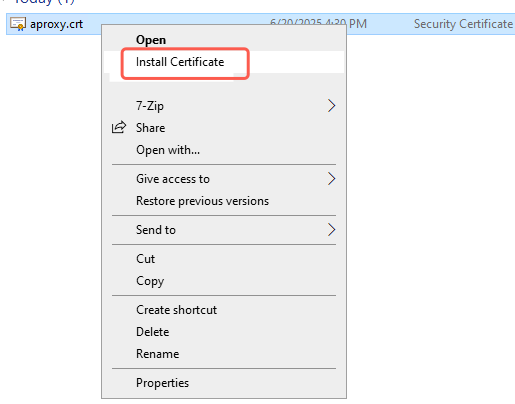
2.2. Right-click the certificate file and select "Install Certificate".
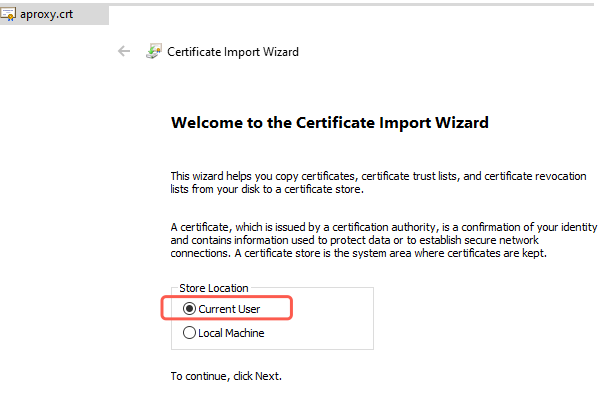
2.3. In the Certificate Import Wizard, select "Current User" and click "Next".
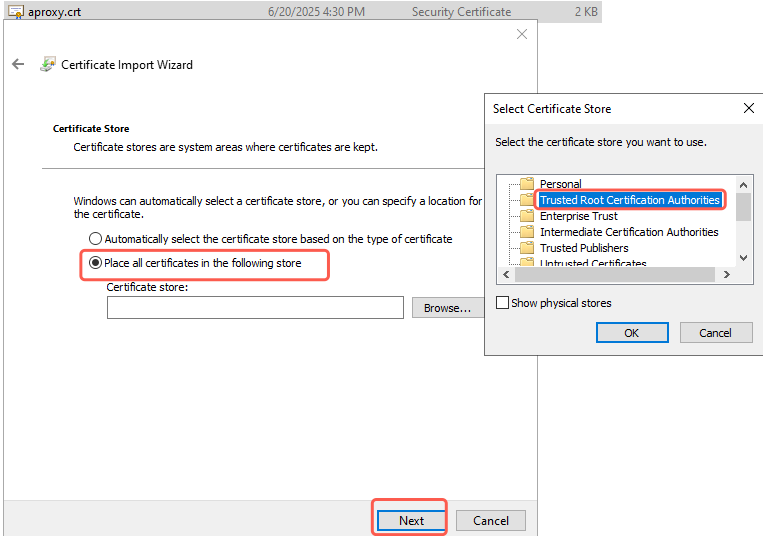
2.4. Select "Place all certificates in the following store", select the certificate store and click OK.
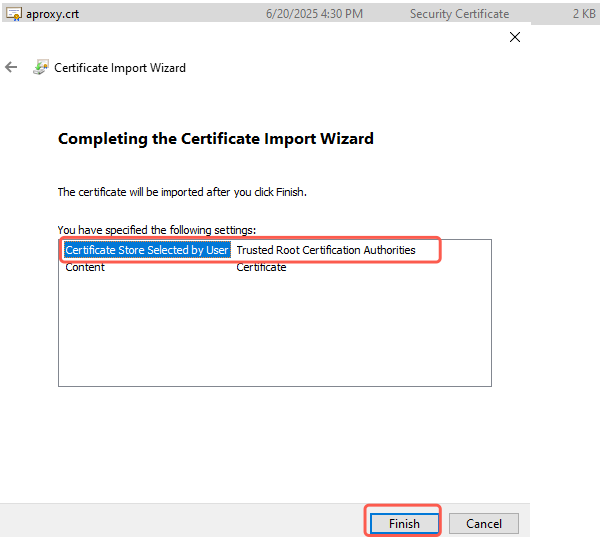
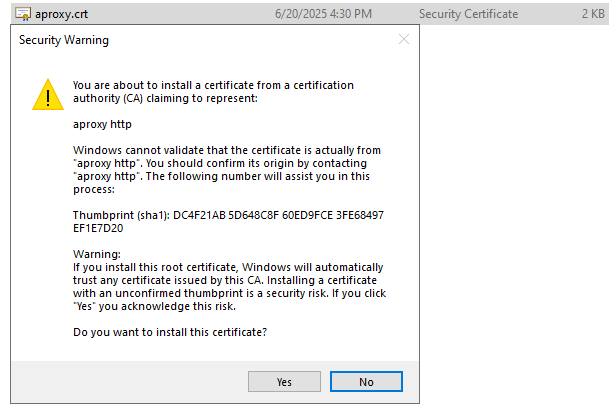
2.5. The Certificate Import Wizard is completing, click "Finish",If a security reminder pops up, click yes.
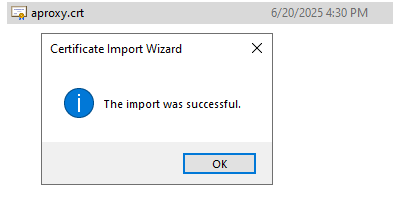
2.6. After completion, it will show that the import is successful, which means that the certificate has been imported successfully.
 Updated 1 year ago
 IP Whitelist Addition Tutorial

 Sản phẩm được chứng nhận ISO/IEC 27001:2017


